
Are you 100% sure your pixel and server-side tracking send the right signals to Meta?
Most brands aren’t. And it’s costing them through inflated CAC, mismatched attribution, and misfired retargeting.
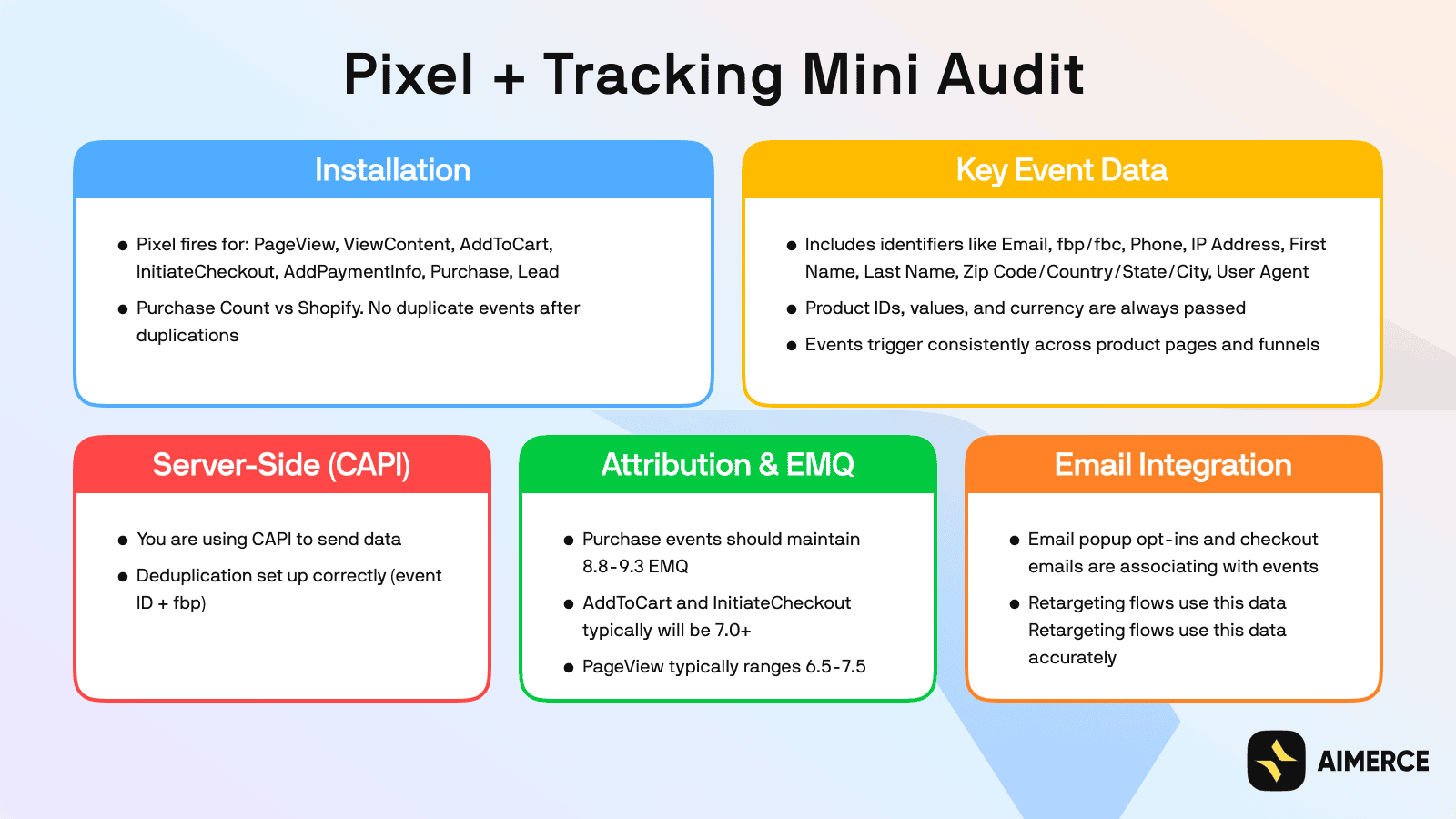
To help, I put together a one-page Pixel + Tracking Audit Checklist that’ll help you catch the most common leaks in under 5 minutes.
This simple audit covers:
- How your pixel is installed & the key events firing
- Whether server-side data is deduplicated properly
- If your attribution signals (like EMQ scores and identifiers) are up to par
- And how well your email integrations are tracking actions
1. Pixel Installation
Make sure the Meta Pixel is firing for every key user action:
- PageView - When someone lands on any page
- ViewContent - When a product page is viewed
- AddToCart - When an item gets added to cart
- InitiateCheckout - When the checkout process starts
- AddPaymentInfo - When payment info is entered
- Purchase - When a transaction completes
- Lead - Optional, but useful for quizzes, email signups, etc.
Quick tip: Your purchase count should match Shopify. If it doesn’t, check for duplicate fires on thank-you pages or duplicate scripts.
2. Key Event Data
Each event should pass the right data so Meta can match users and optimize performance.
Identifiers to include:
- Phone number
- IP address
- First and last name
- City, state, zip, country
- User agent (browser/device info)
- fbp and fbc (Meta cookies)
Product data to include:
- Product ID or SKU
- Order value
- Currency
Make sure events are consistent. AddToCart should fire whether it’s a quick-add button or a full PDP view. ViewContent should hit every product page.
3. Server-Side Tracking (CAPI)
If you’re not using CAPI, you’re leaving signal quality on the table, especially post-iOS 14.
- Confirm that CAPI is live and actually sending events
- Make sure each CAPI event includes both an event ID and fbp for proper deduplication (so Meta doesn’t double-count with browser events)
4. Attribution & Signal Quality (EMQ)
Meta gives every event a score called Event Match Quality (EMQ). It reflects how well they can match an action to a real person.
Here’s what solid signal quality looks like:
- Purchase: 8.8 to 9.3
- AddToCart & InitiateCheckout: 7.0 or higher
- PageView: 6.5 to 7.5
If your numbers are lower, it likely means you’re missing key identifiers.
5. Email Integration
Your email capture and automations should be directly tied into your tracking setup:
- Are opt-ins (popups, forms) triggering events?
- Are checkout emails being passed into the pixel or CAPI?
- Are your retargeting flows (like abandoned cart) leveraging pixel-linked data—or just basic list segments?
This is where better signal = better retention.
Spot any gaps?
Most tracking setups are losing revenue quietly, every single day.
Fixing these things can lead to immediate improvements in ad performance and attribution clarity. And it doesn’t have to be complicated.
30-Day Aimerce Pixel Free Trial