What Happens When You Switch To A New Pixel
This comes up to us constantly. Someone switches to a new Meta Pixel or is asking whether switching to a new pixel would fix everything. We even encountered someone who switched to a new pixel after they had issues with months of accumulated bad data while working with a server side tracking company.
These are the common questions and situations we encountered, and how to vet and deal with them.
What Actually Resets When You Switch To a New Pixel
Two things happen the moment you switch.
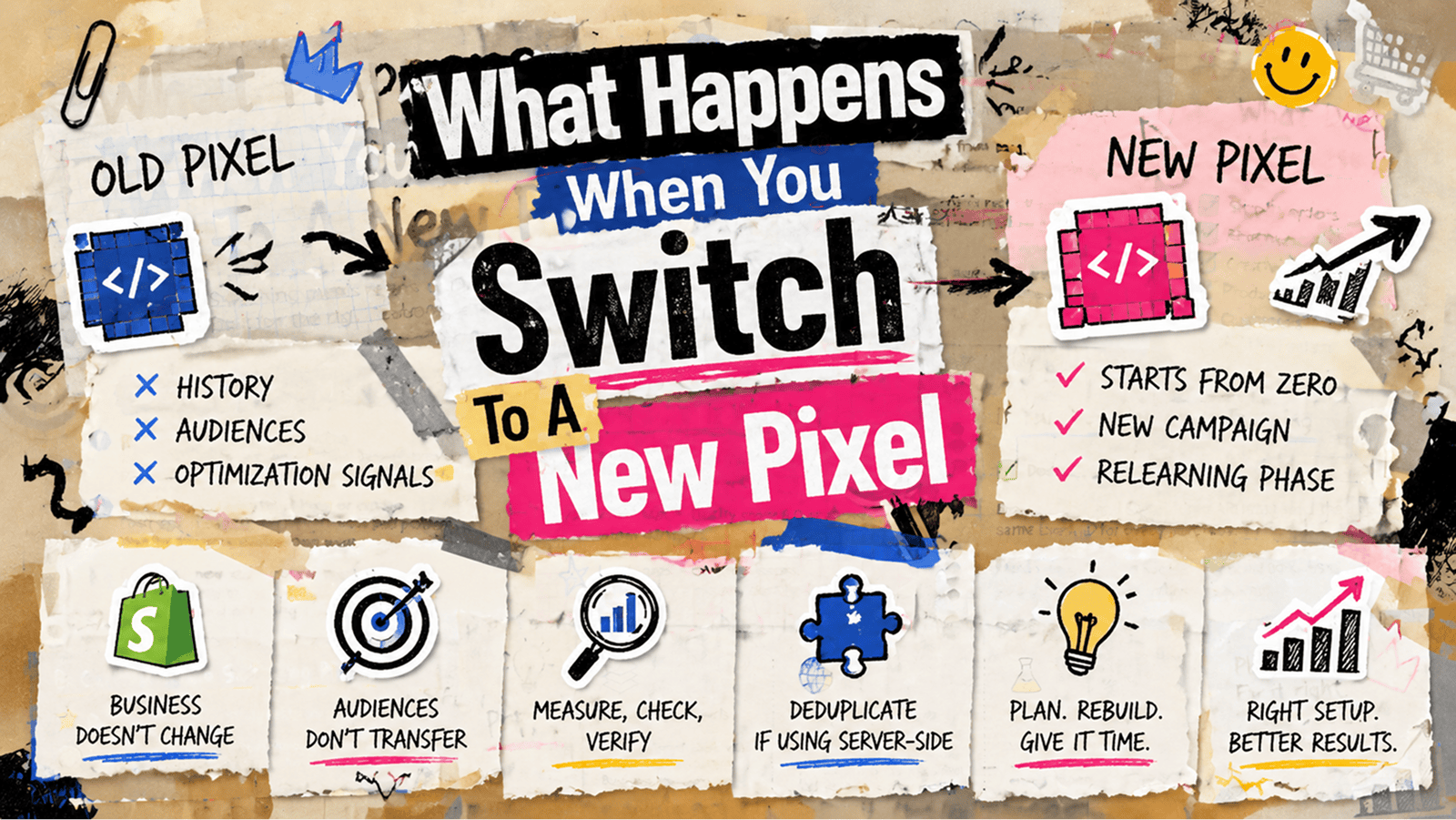
- The new Pixel starts from zero with no event history, no audience, and no optimization signals. Meta's algorithm has to relearn who your buyers are from scratch.
- You have to create a new campaign to use the new pixel, meaning all the learnings will start all over.
What Does NOT Reset
Your Shopify orders. Your revenue. Your creative performance. Your product catalog. Your customers and their intent.
The Pixel is the measurement layer and data feedback loop. The business underneath it does not change. Performance fluctuations after a switch are almost always temporary measurement artifacts, not real changes in what your ads are producing.
The Three Situations I See Most Often
-
Switching because a previous tracking setup fed bad data. - This is the most common and also the most understandable reason. A poorly configured server-side setup, usually one without proper deduplication, was inflating conversion counts. CPA looked great. ROAS looked great. Then someone realized Shopify orders and Meta conversions were wildly out of sync and panic set in. If this is you, the new Pixel is not the full fix on its own. You need to address whatever caused the bad data in the first place, usually deduplication not being configured correctly between the browser pixel and the server-side event. Without that fix, a new Pixel inherits the same problem. The root cause of most bad tracking data I see is that events from multiple sources fire for the same purchase without a shared event ID. Meta counts both. Conversions double. Everything looks better than it is until you check Shopify.
-
Switching Pixels during a Meta bug or outage - Do not do this if you can avoid it. A Meta bug affecting event delivery or reporting is a platform problem, not a Pixel problem. Switching your Pixel during a bug means you lose the history on your old Pixel and start fresh on a new one right when the platform is already behaving erratically. You will not be able to tell whether issues after the switch are from the migration or from the lingering bug. Wait for the platform to stabilize. Then audit your existing Pixel to confirm it is the source of the problem before replacing it.
-
Switching because of a rebrand, new store or new country/market - This is the cleanest reason to switch and the easiest to manage if you plan it properly. The things that matter most are rebuilding your core retargeting audiences immediately on the new Pixel, not waiting until the old ones decay, and timing the switch during a low-traffic period rather than during a promotion or active test. The one thing that breaks silently and costs the most is retargeting audiences. Audiences are tied to the Pixel that collected the events. Your "added to cart in the last 14 days" audience is built from the old Pixel's data. Once you switch, that audience stops getting new members and decays as the lookback window expires. The new Pixel starts with an empty audience that rebuilds from scratch.
For brands running continuous retargeting this creates a gap that can last the full length of your lookback window. The fix is simple: rebuild your core audiences on the new Pixel immediately after the cutover. Do not wait.
How To Know If Your New Pixel is Working
Compare your new Pixel's reported purchases against your actual Shopify order count for the same period. They should be within 5 to 10 percent of each other within the first week. A larger gap means your new implementation has coverage gaps somewhere, most likely checkout, thank you page, or Shop Pay redirect flows.
Also check your Event Match Quality score. Target 6.0 or above within the first 48 hours. Below that means the Pixel is not receiving enough identity signals alongside purchase events. Make sure hashed email and phone are being passed with every purchase event from day one. You want the new Pixel building a strong match quality history from the start, not accumulating a backlog of low-quality signals it has to overcome later.
If You Are Running Server-side Tracking Alongside The New Pixel
Deduplication is not optional. Both your browser pixel and your server-side Conversions API event need to carry the same event ID for every purchase. Or you de-duplicate everything (that’s what we do at Aimerce) before sending data to Meta. If you are curious why: If browser events are also sent directly to Meta, Meta has to deduplicate the same event again, which can create unnecessary duplication risk and reduce data clarity for reporting and optimization. Also Meta’s deduplication success is around 90%-95%, so you may end up having a small percentage of event inflation.
Why You Should Be Careful When Switching Pixels
Look, switching Pixels is not the end of the world. But it is also not something you just do on a whim because your campaigns felt off for a week.
Correct data is always strictly better than wrong data. If you have to switch to a new pixel to fix data, I recommend it.
When you switch, your event history resets, your audiences start from zero, and your campaign learning goes back to the beginning. Your business does not change. Your creative does not change. Your customers do not change.
Most of the pain that follows is either temporary, the learning phase rebuilding itself, or fixable, deduplication, audience rebuilding, proper event coverage. The brands that come out of it cleanly are the ones who treated it like a proper migration instead of doing it for a quick fix. It has always been a best practice to document your baseline before you touch anything, rebuild your audiences the day you switch, and make sure deduplication is in place from day one.
If you are switching because something felt broken, make sure you actually diagnosed what was broken first. A new Pixel does not fix bad implementation. It just gives the bad implementation a fresh start.
Some tricks and hacks that people don’t know about Pixels
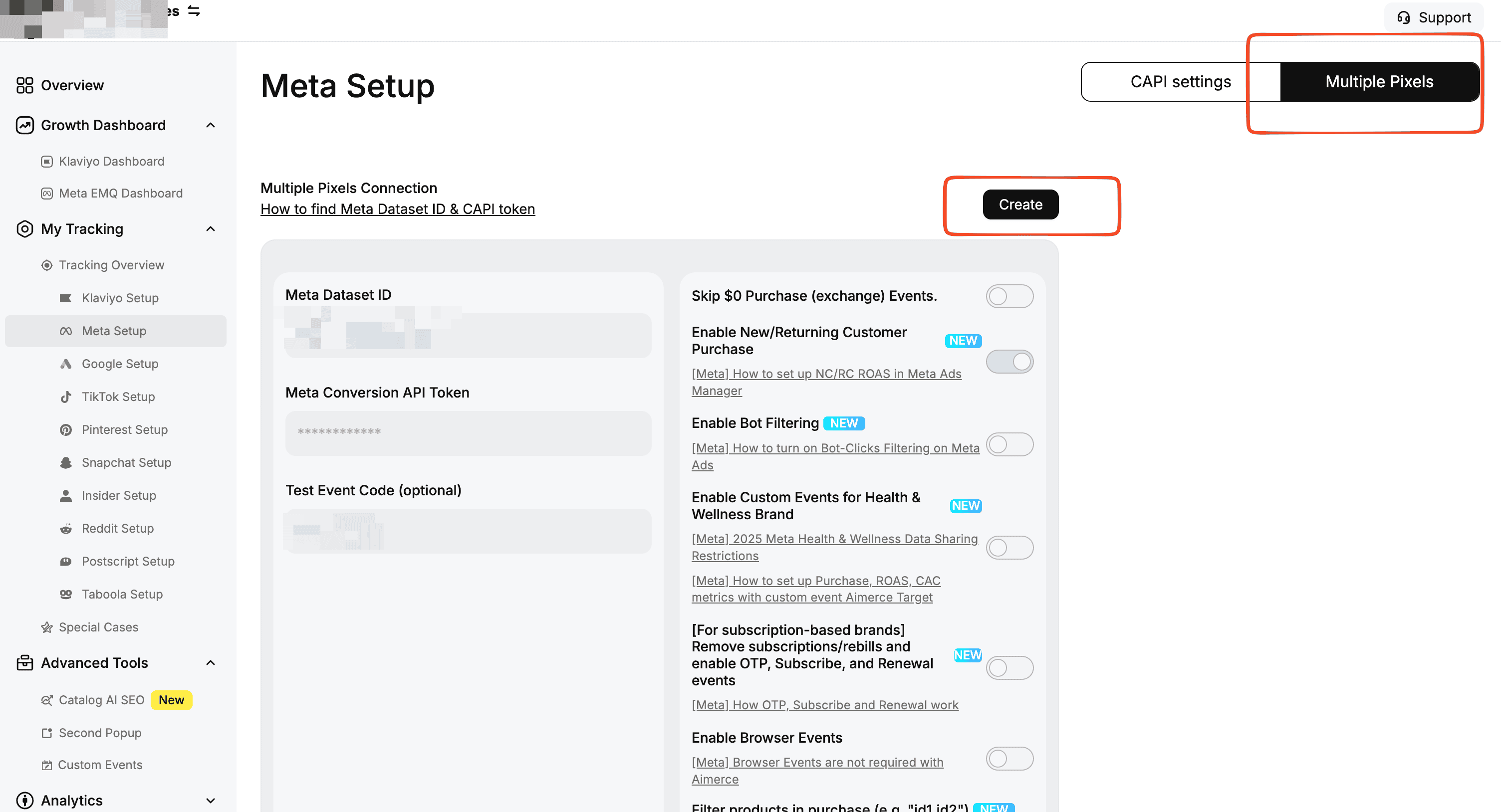
- You can have multiple pixels.
Aimerce can help you set up multiple pixels. If you want an extra layer of protection, you can share different pixels with different ad accounts or Business Managers so you are less likely to lose access, whatever happens to your account.
2.You can have multiple sites/countries/markets connected to the same pixel.
Let’s say you have Shopify sites that sell the same products and share a similar audience in Canada and the US. Instead of using two pixels, one for each country, you can create a third pixel that combines both Shopify sites into one Mega Pixel.
Spoiler alert: the Mega Pixel performs better than keeping them separate.
3.You can A/B test different pixels.
You can run campaigns with different pixels and A/B test them. The only caveat is that both pixels need to have a similar history, or at least months of data in them.

Try Aimerce Pixel Risk-Free
for 30 Days
Most teams see results within 2 weeks.
Money-back guarantee.
It pays for itself, or you don't pay anything.
30-Day Aimerce Pixel Free Trial