Quick Answer: Before BFCM, run three quick checks: confirm tracking is firing today, confirm email and fbc are sent with every event, and confirm Automatic Advanced Matching is on. Then diagnose any "over-attribution" complaint by checking Shopify orders against Meta Purchase events first, and attribution model differences second, before assuming anything is actually broken.
Key Takeaways
- Compare Meta Purchase events over the last 7 days against your actual Shopify order count. They should be close, within about 5 is fine, more than that means something's actually off.
- "Over-attribution" is usually two different things people conflate: broken tracking versus a misunderstood attribution model. Meta defaults to 7-day click, 1-day view, which rarely matches a multi-touch attribution tool.
- System-generated subscription renewals get tracked as Purchase events by default, inflating ad-driven conversion counts unless they're separated out specifically.
- A low Catalog Match Rate, not a small audience, is often the real reason Dynamic Product Ads underperform, usually from inconsistent product ID versus variant ID references between Shopify and Facebook's catalog.
- For the deeper checks, event taxonomy, deduplication testing, load and chaos drills, that's covered separately in a dedicated systems-reliability guide, not repeated here.
What are the three quick self-audits to run first?
Three checks, in order, before diagnosing anything more specific.
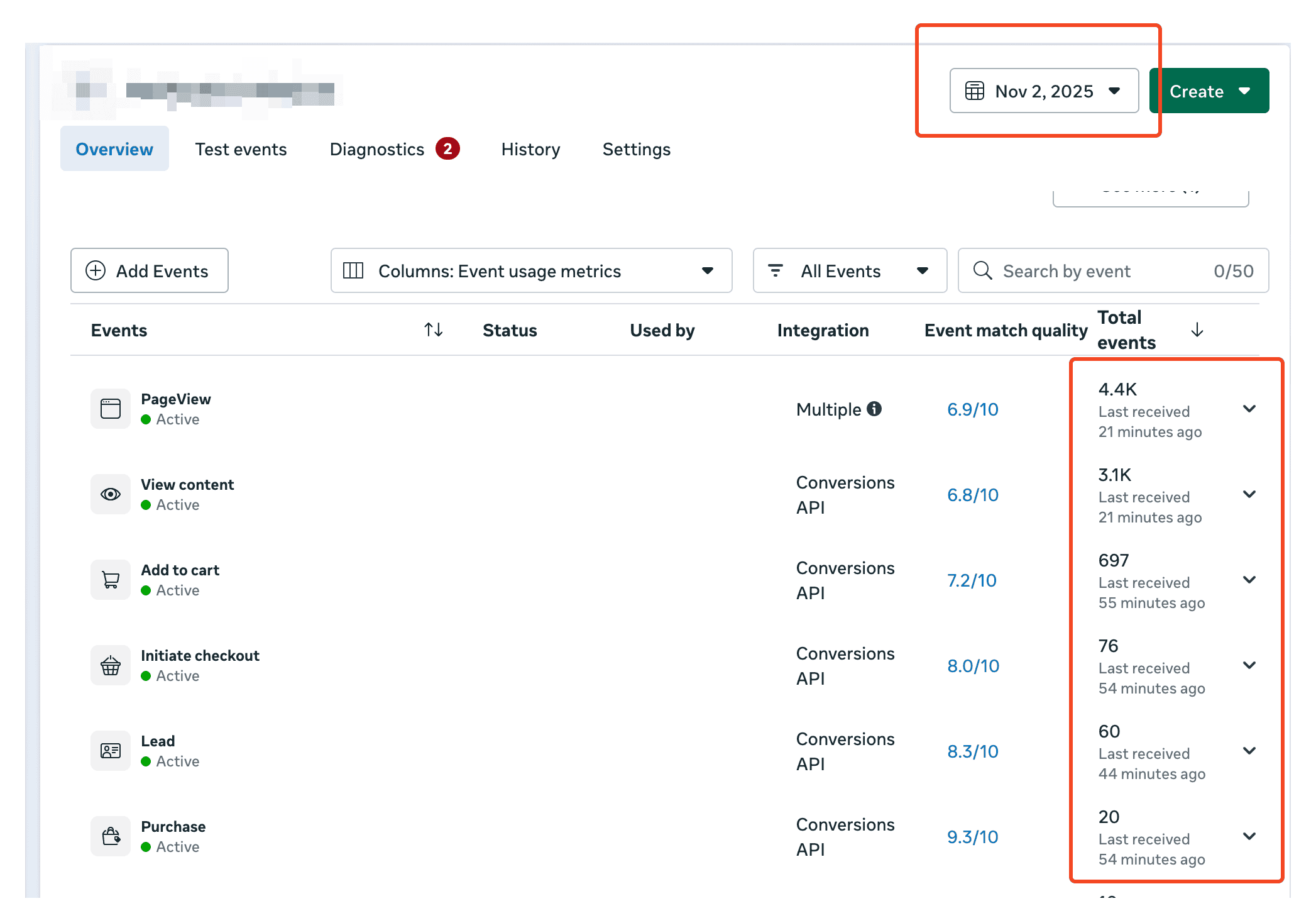
1 Is everything tracking as of today? Confirm your pixel and server-side events are both actively firing right now.
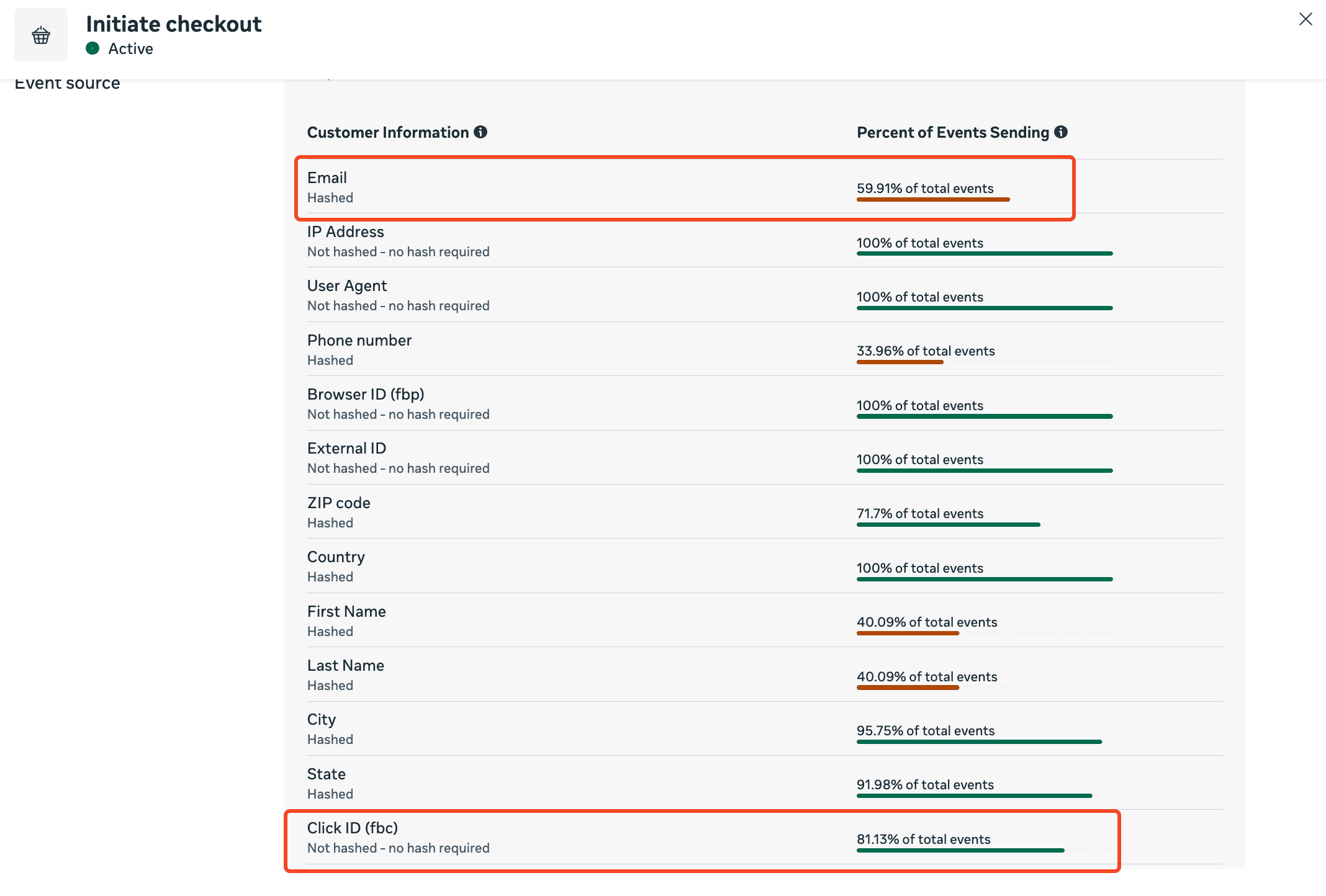
2 Is customer information being sent in every single event, especially email and fbc? Gaps here directly reduce Event Match Quality regardless of everything else being configured correctly.
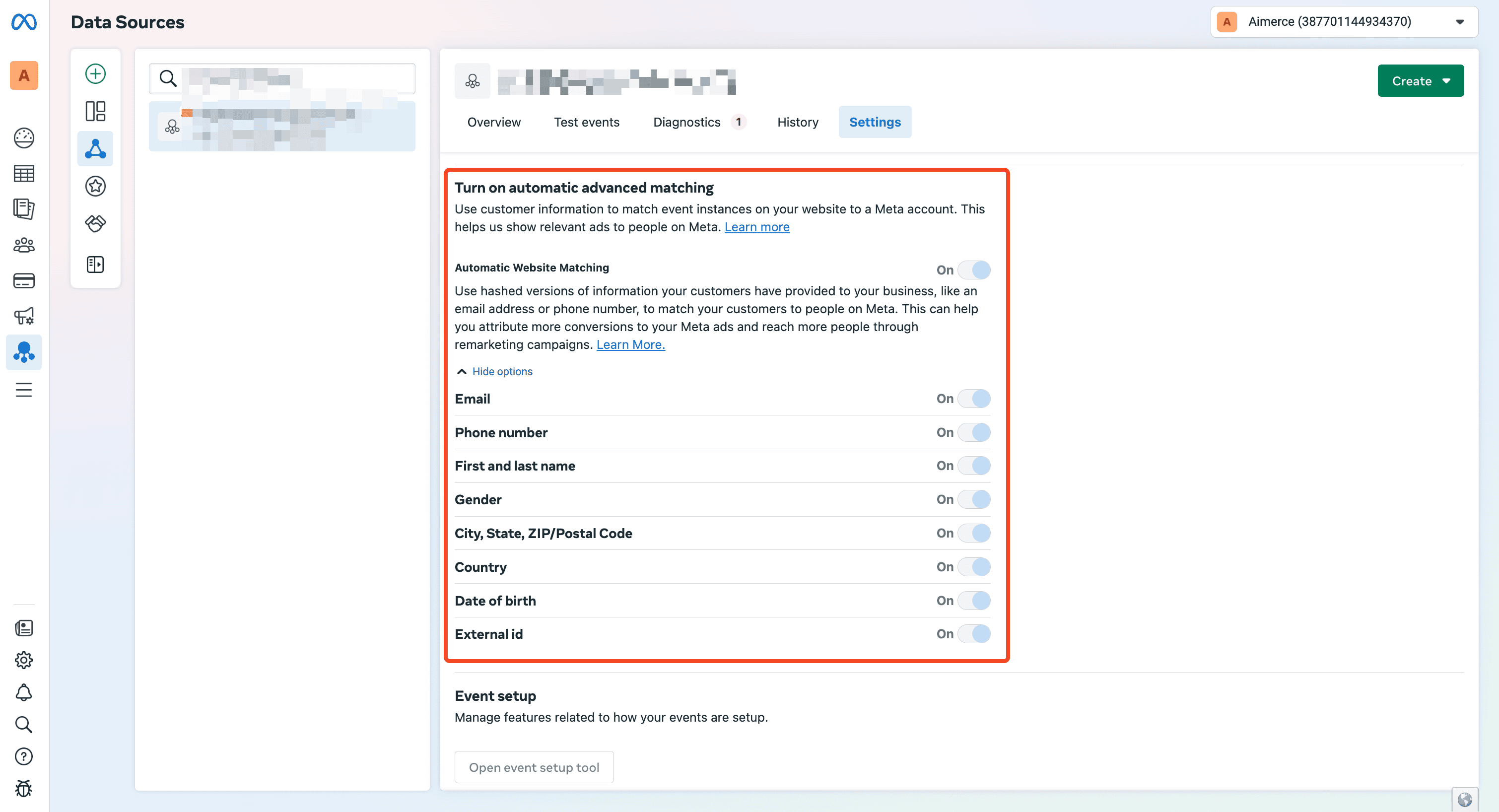
3 Did you turn on Automatic Advanced Matching? An easy setting to miss, and it directly affects how much traffic Meta can confidently match to a real person.
How do you diagnose "my Meta ads are over-attributing"?
By separating two different problems: is tracking actually broken, or are you looking at attribution the wrong way?
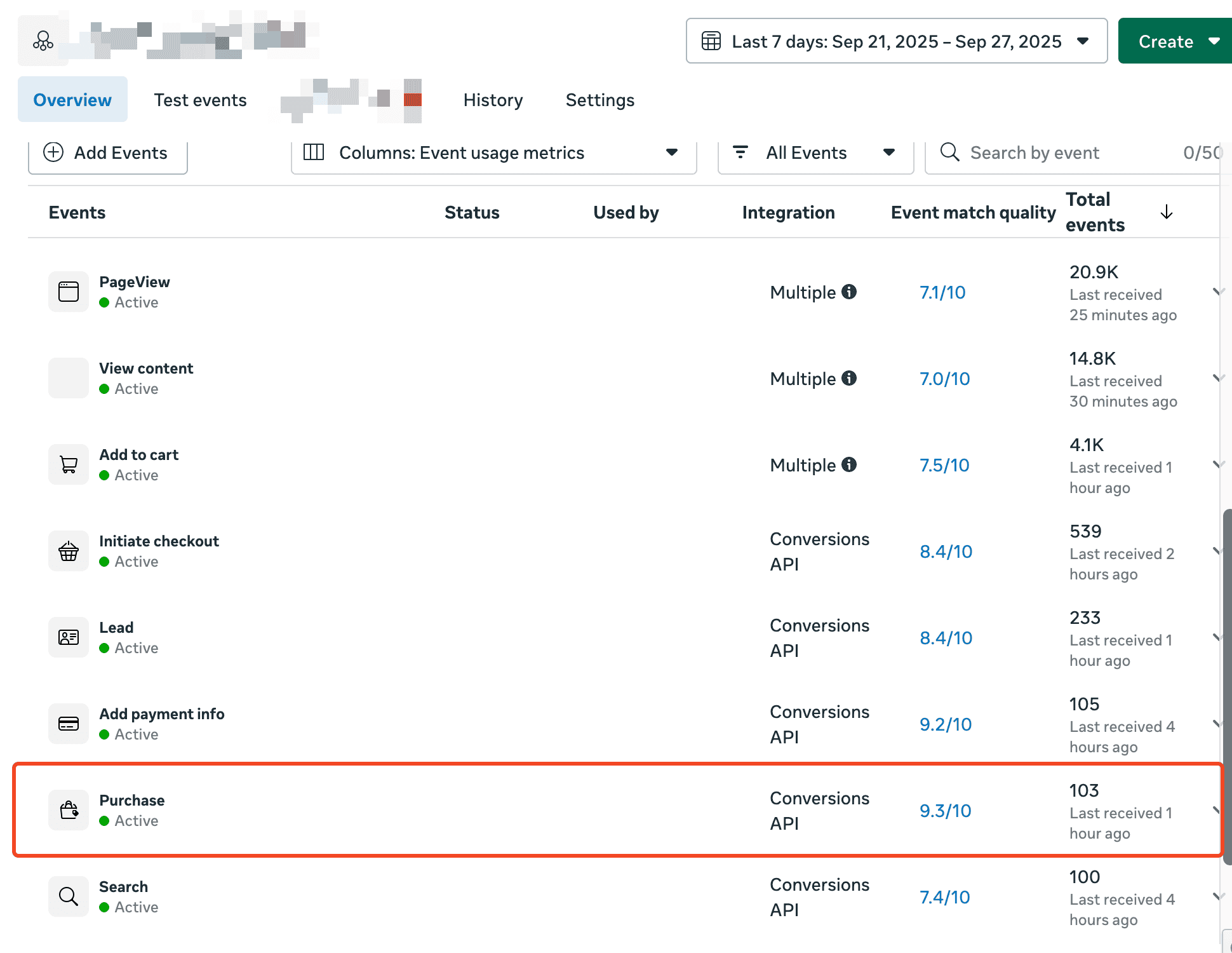
First, check if tracking is actually working. Go to Meta Events Manager, look at Purchase events from the last 7 days (or 1), then check the actual Shopify order count for the same window. Numbers should be very close, within 5 is fine. One caveat: if you're not using Aimerce, other tools may send data from both browser and server, and since browser is strictly fewer than server, you may see a number slightly under 2x purchases, that's also normal, not necessarily duplication.
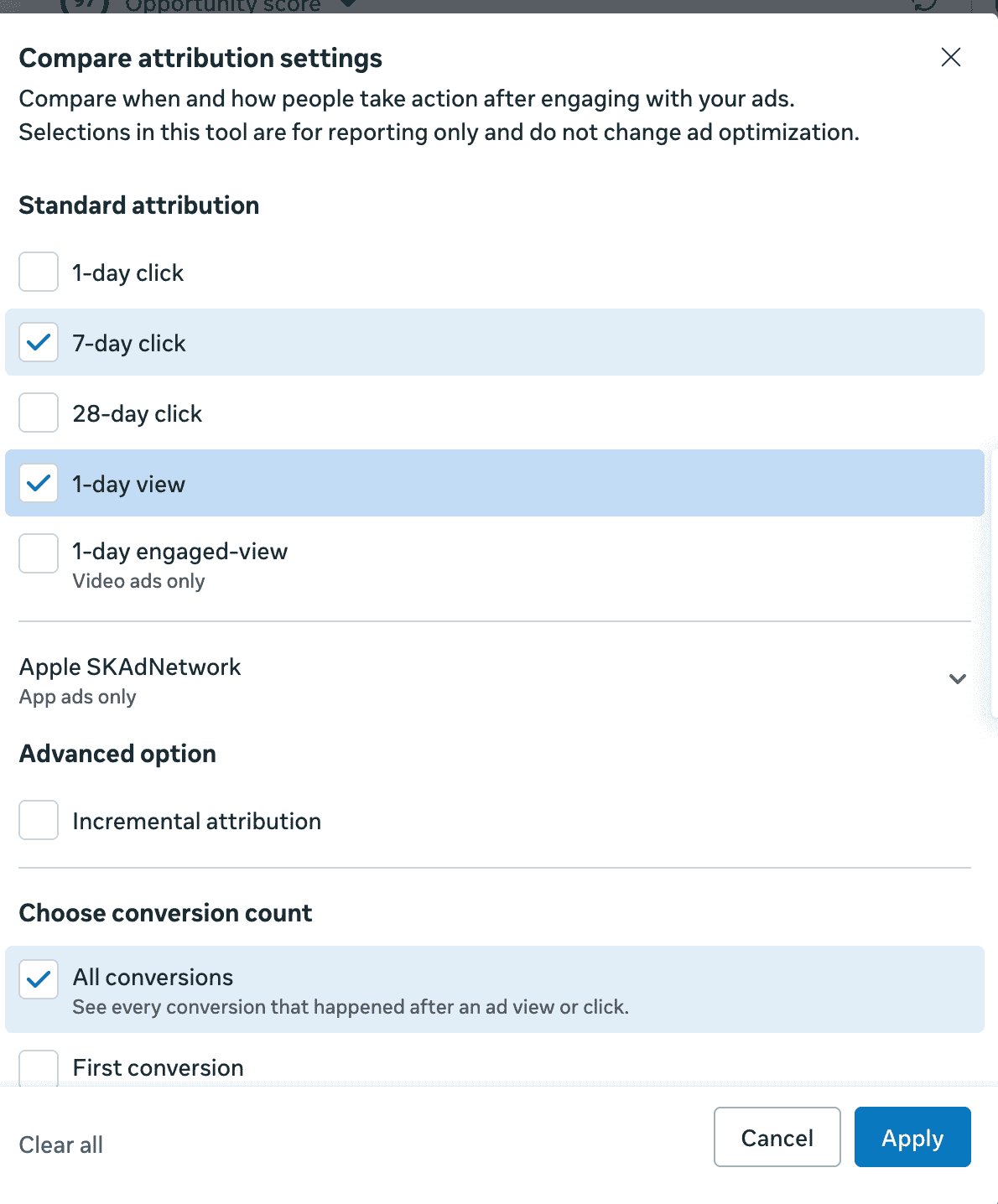
Second, check your attribution models. Meta Ads Manager defaults to 7-day click, 1-day view. Attribution tools often default to multi-touch, last-click, or first-click. You're not looking at the same thing, so don't expect the numbers to line up automatically.
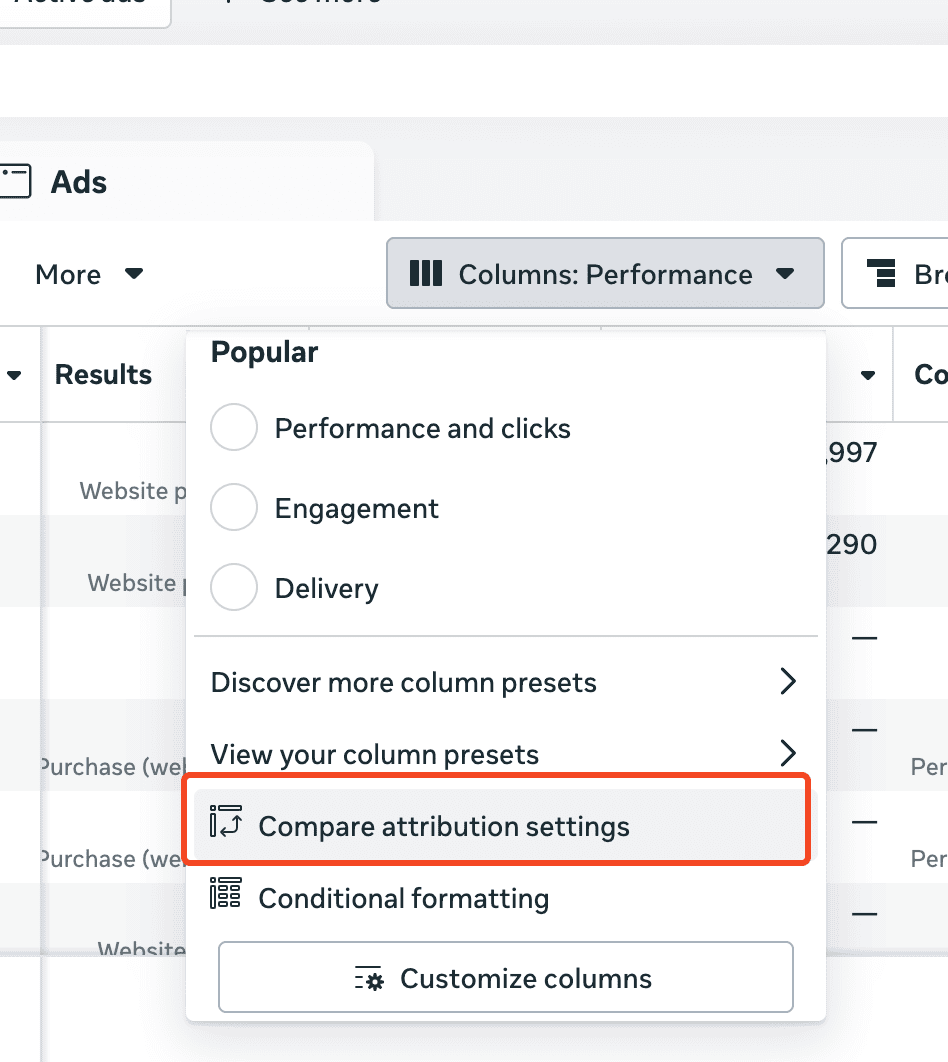
Third, compare conversion value across attribution windows. Go into "Compare attribution settings" and toggle on 7-day click, 1-day view, to see how much of your attributed value comes from clicks versus views. For most stores, the default is fine; consider removing view-based attribution if you have a large organic channel, many manually drafted orders, a lot of organic returning customers, or system-generated subscriptions.
What should subscription-based brands check specifically?
Whether renewals are being counted the same as fresh, ad-driven purchases, since that inflates what Meta thinks is converting from active campaigns.
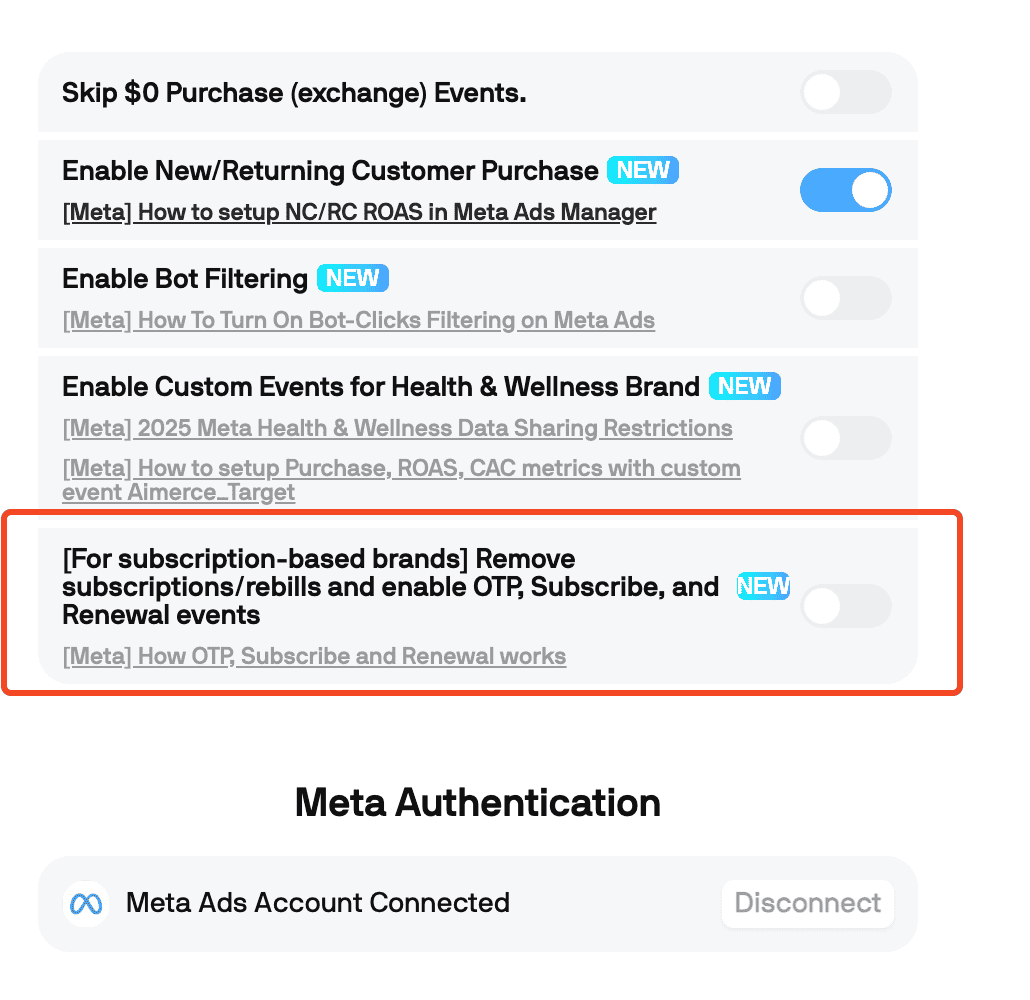
All purchases, including subscriptions and rebills, get tracked in Meta by default. Aimerce has a feature that removes system-generated renewals from Purchase attribution while keeping the first-time subscription, and adds three custom events for cleaner metrics: OTP (one-time purchase), Subscribe (first-time subscription), and Renewal.
Why isn't your Meta DPA (Dynamic Product Ads) working?
Usually a small retargeting audience, or a Catalog Match Rate problem, and the second one is more common than people expect.
Check Commerce Manager, then Catalog, then Events, for your Catalog Match Rate directly.
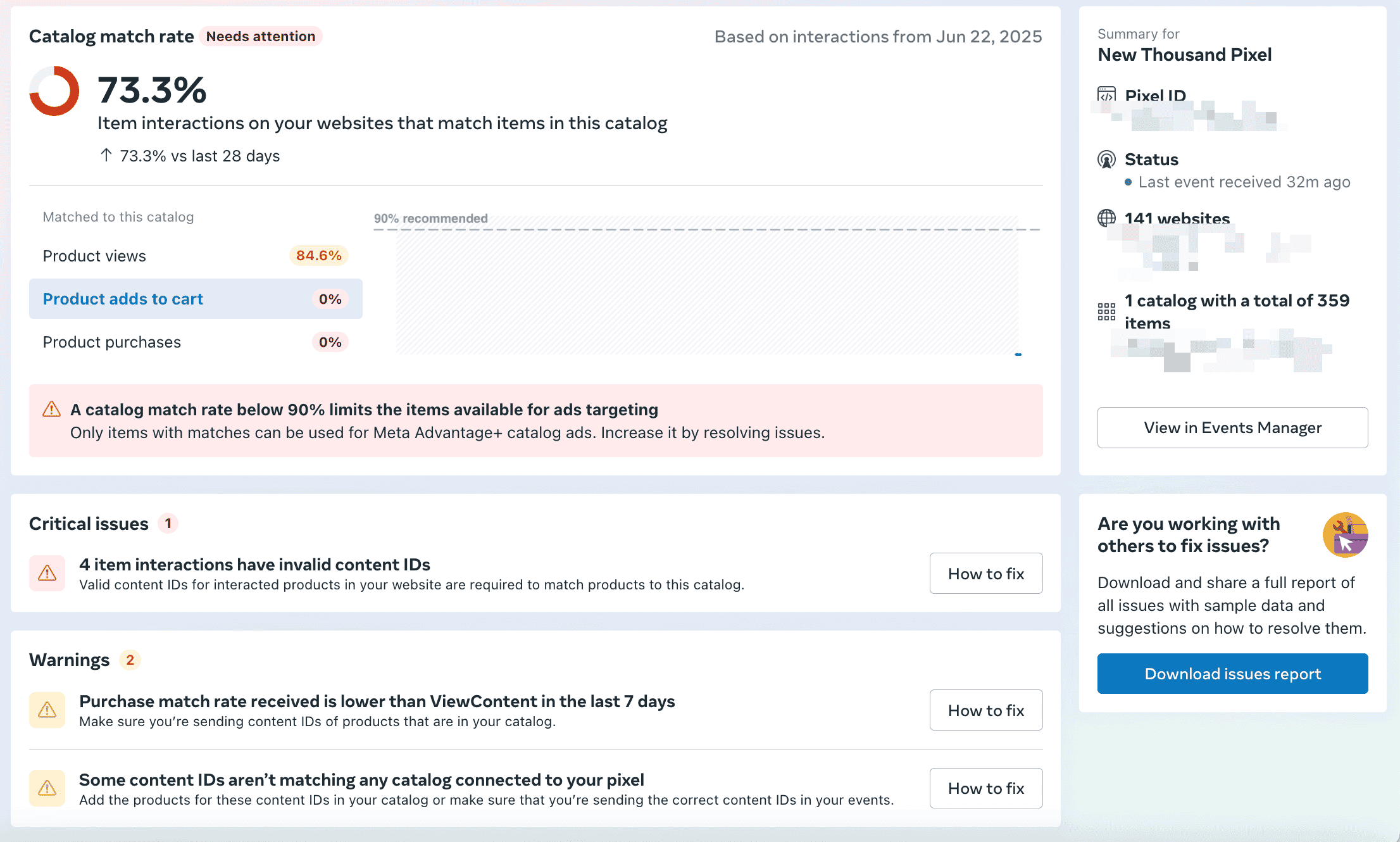
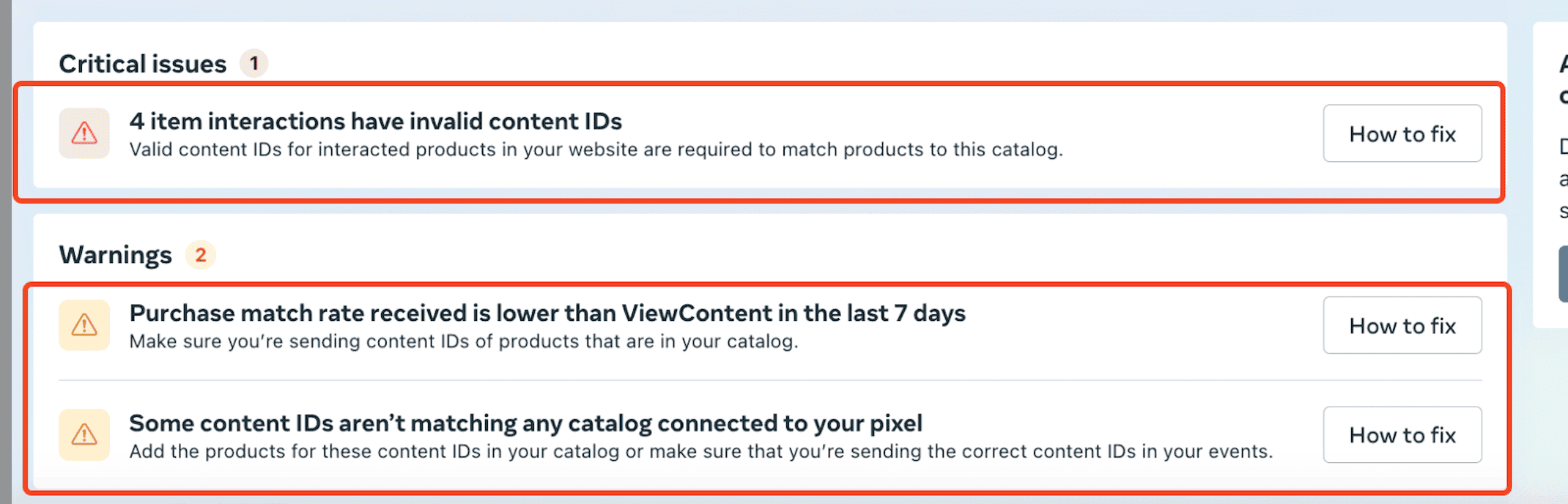
If products aren't matching, click "How to Fix" to find the specific IDs affected. The usual cause: product ID and variant ID getting referenced inconsistently, Facebook using one while Shopify events use the other. Standardizing on a single ID type across both systems typically resolves it.
FAQ
How do I know if my Meta ads are actually over-attributing, or if I'm just misreading attribution?
Check tracking first: compare Meta Purchase events over the last 7 days against your actual Shopify order count. If they're close, the discrepancy is likely attribution model differences, not broken data.
Why does Meta's reported ROAS not match my other attribution tool?
Different default models. Meta defaults to 7-day click, 1-day view, while standalone tools often default to multi-touch, last-click, or first-click.
Should I remove view-based attribution from my Meta account?
For most stores the default is fine. Consider removing it if you have a large organic channel, many manually drafted orders, or system-generated subscriptions.
Why is my Catalog Match Rate low even though my products are tracking correctly?
Usually a mismatch between product ID and variant ID referenced inconsistently between Shopify events and the Facebook catalog.
Does this cover deeper tracking reliability issues too, like load testing or deduplication under peak traffic?
No, that's covered in a separate, dedicated guide on tracking layer readiness. This checklist is specifically the fast, Meta-focused version.
Related reading

Try Aimerce Pixel Risk-Free
for 30 Days
Most teams see results within 2 weeks.
Money-back guarantee.
It pays for itself, or you don't pay anything.
30-Day Aimerce Pixel Free Trial