Aimerce Blogs
How To Track SKU Purchase Conversion on Meta Ads Manager
14 November 2024
How To Track SKU Purchase Conversion on Meta Ads Manager
Meta Ads

See which SKU is driving more purchases, and through which ad creative. You can now enable a specific SKU in the Product ID field of your Meta Ads Manager and directly track its ad performance.
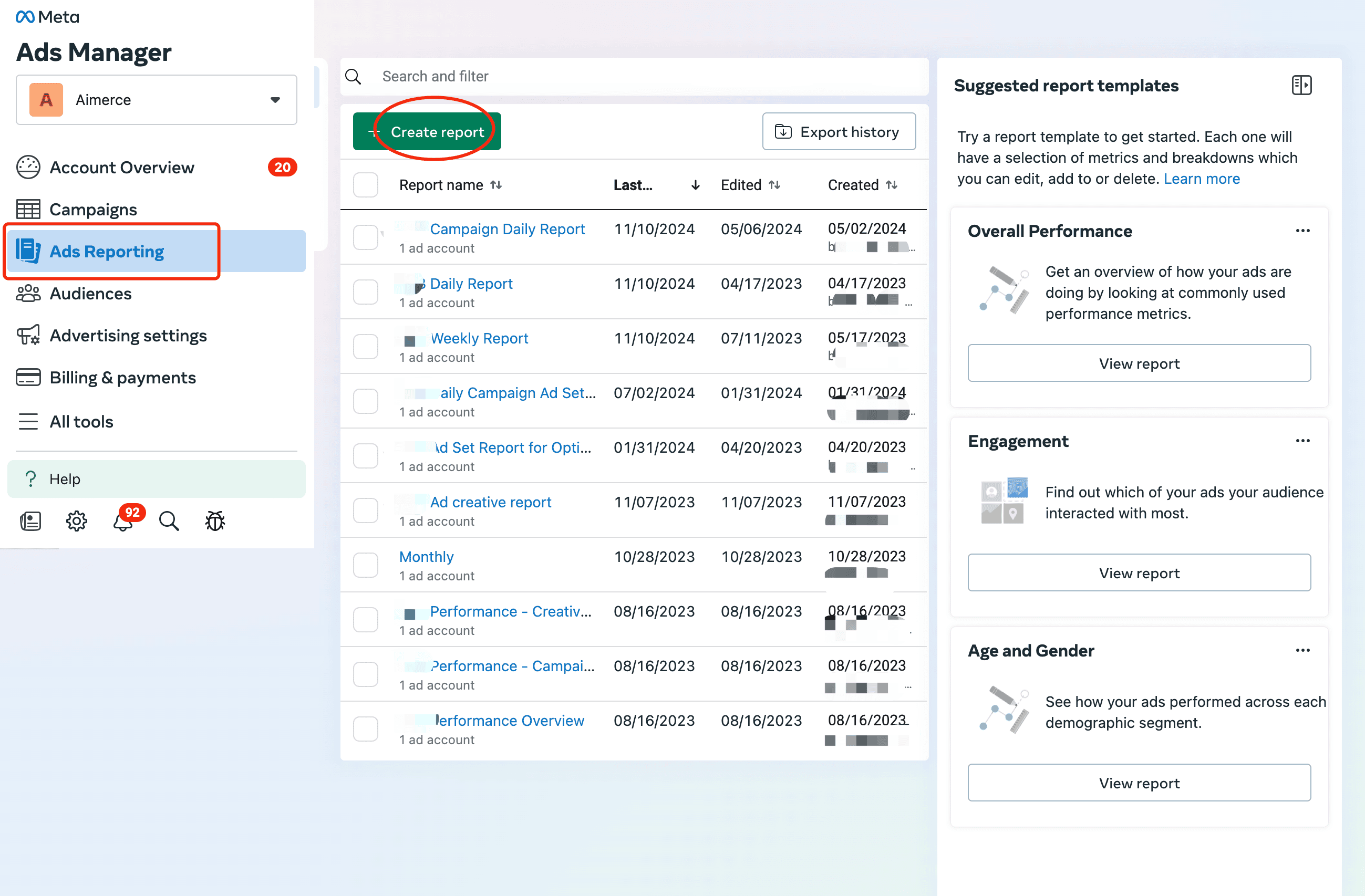
1. Create a report in Ads Reporting
You may also select an existing report.
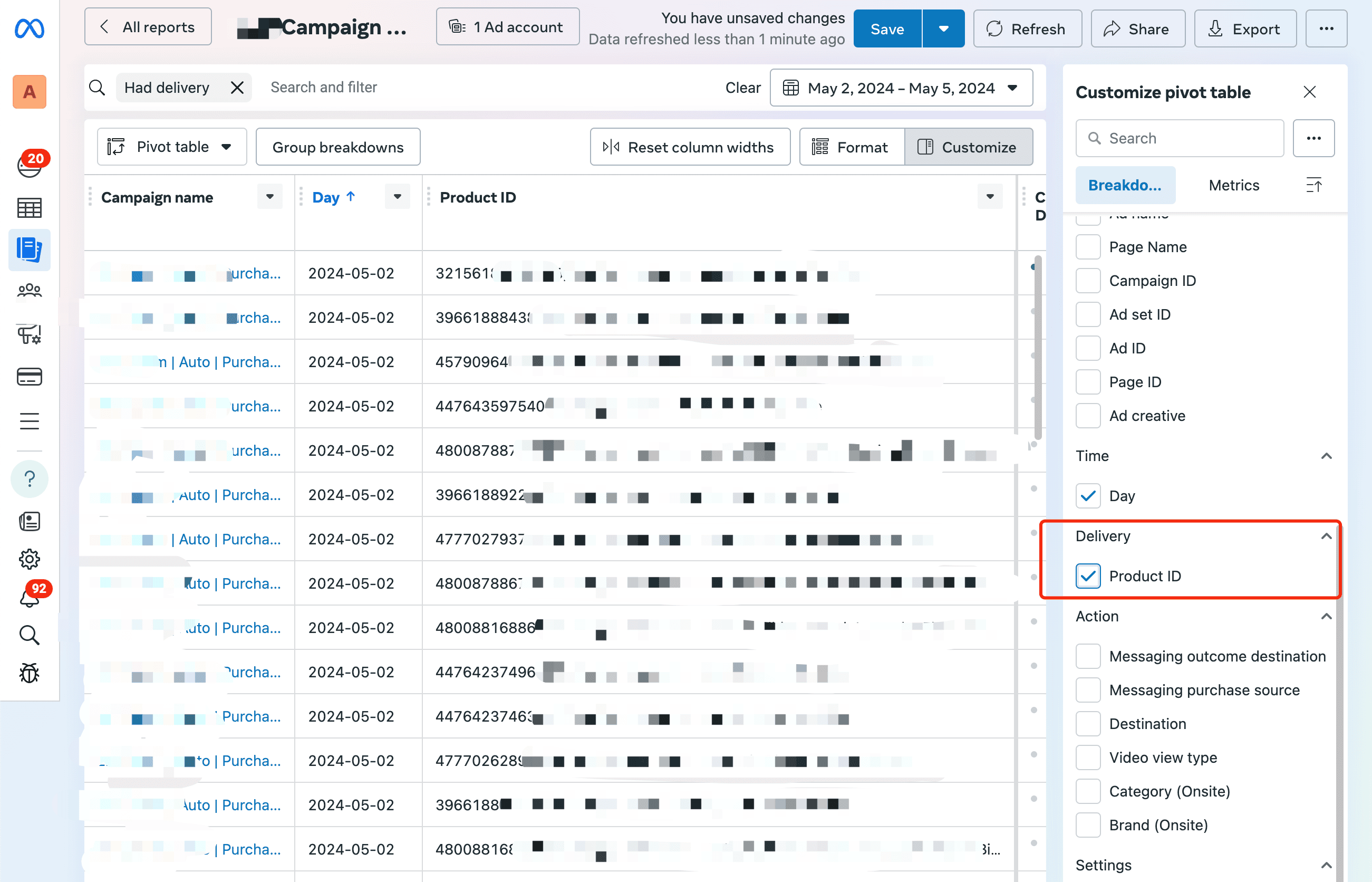
2. Select Product ID
In the "Customize pivot table" menu, select Product ID under Delivery.
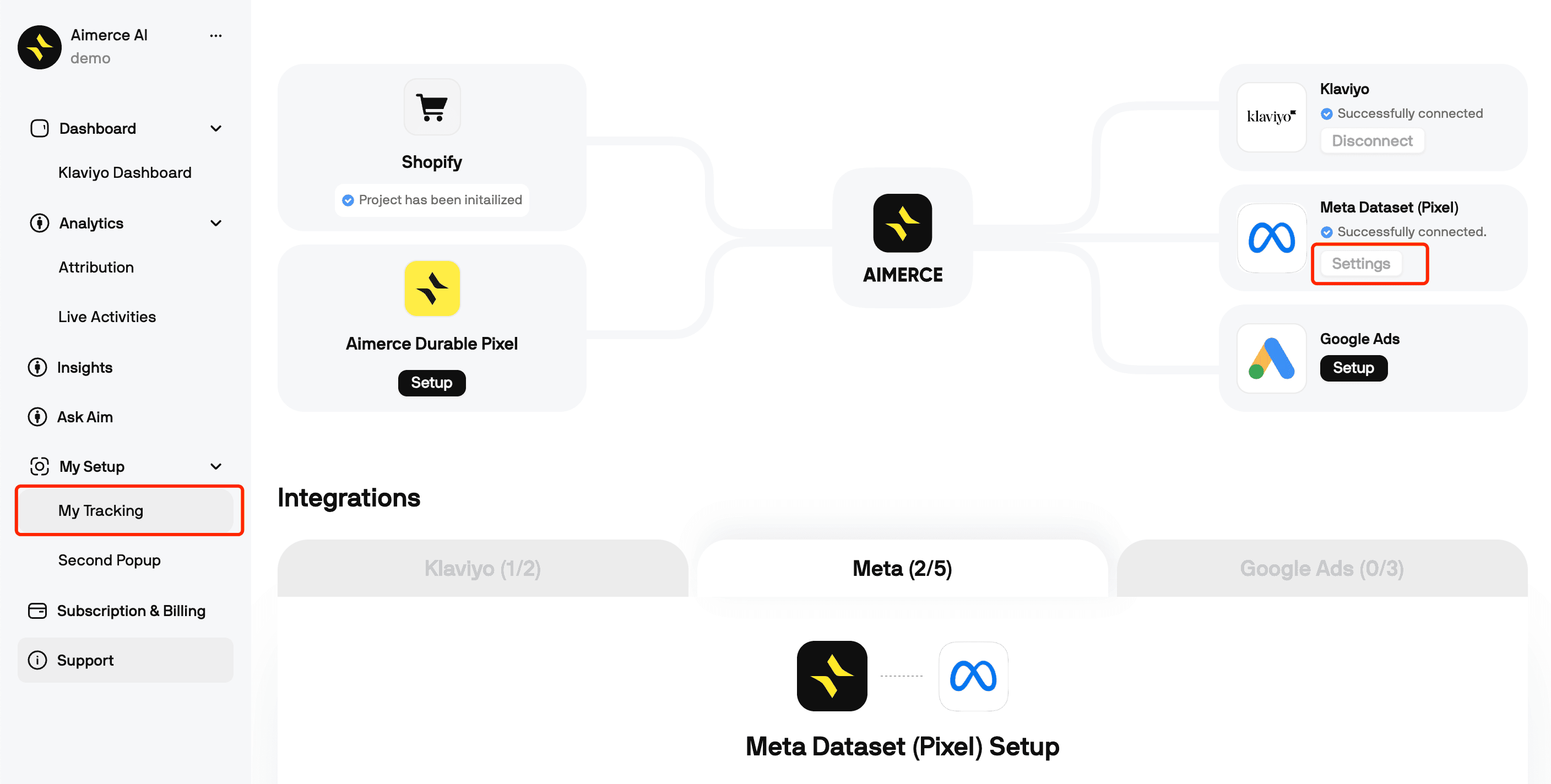
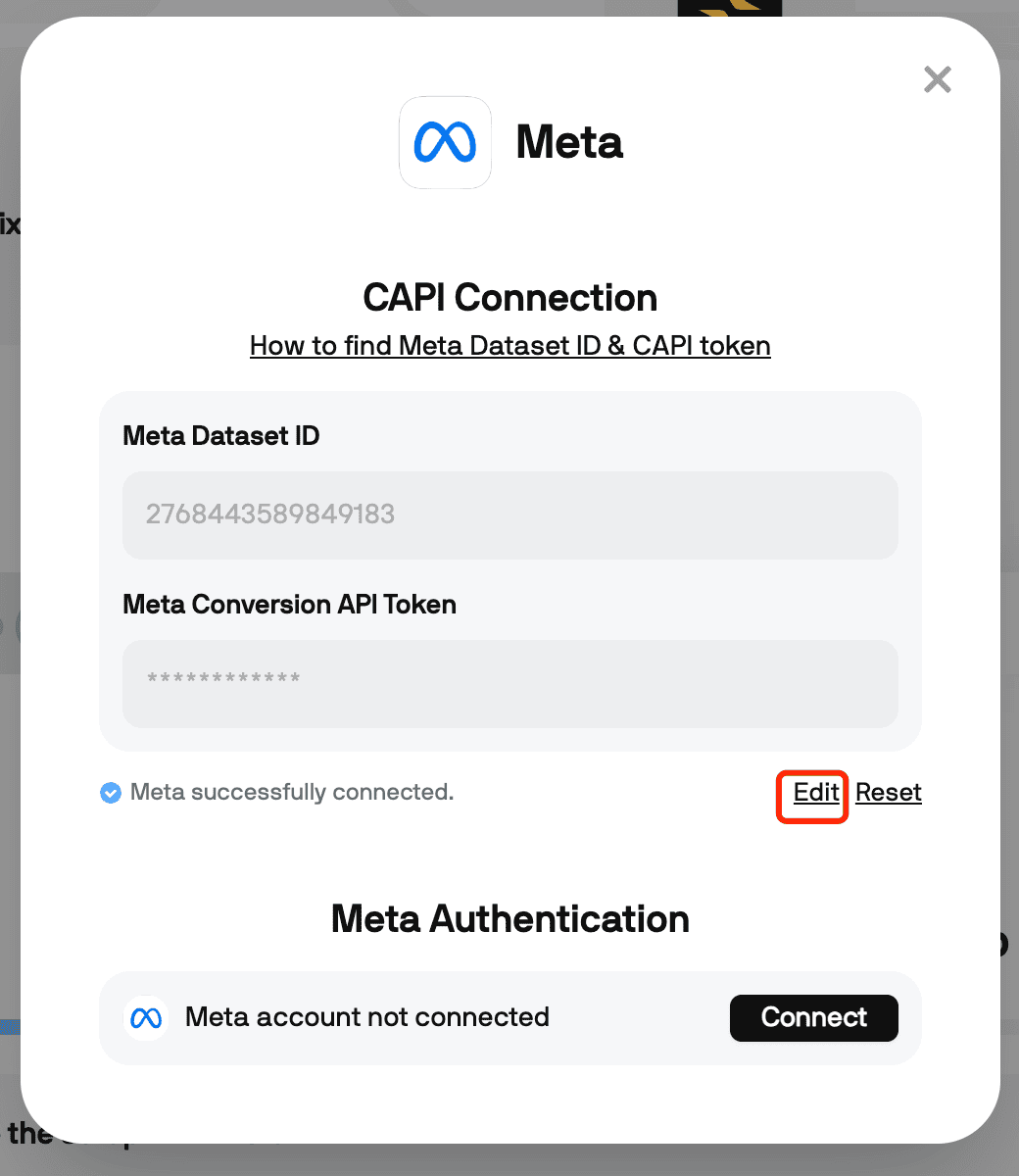
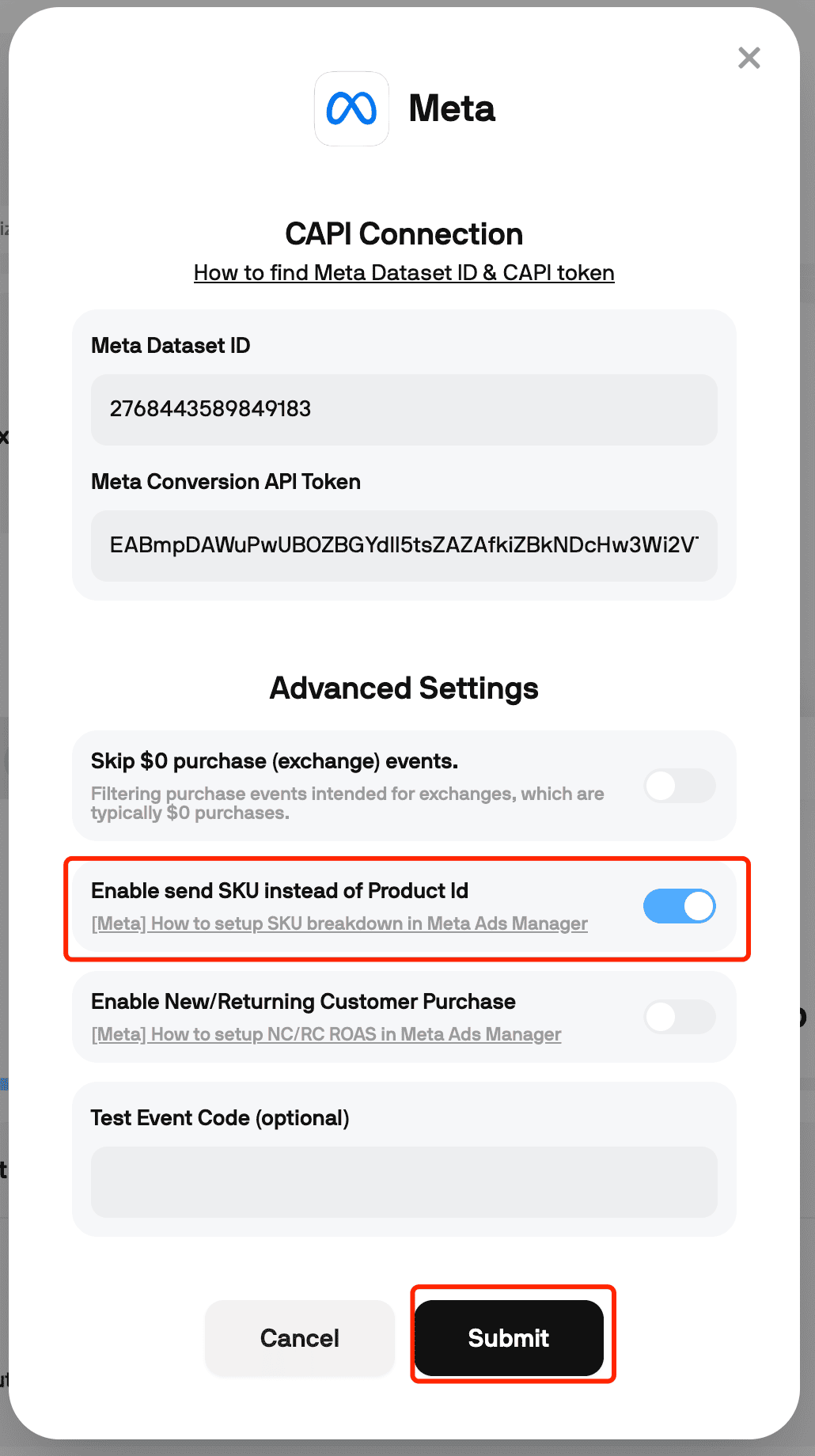
3. In your Aimerce dashboard, turn on "enable SKU as Product ID" settings
Go to the "My Tracking" page on your Aimerce dashboard, and click on the Settings button under Meta Dataset (Pixel).
Once your CAPI Connection pops up, click on "Edit", and turn on the "Enable send SKU instead of Product ID" toggle.
Aimerce Pixel
Server-side tracking and accurate first-party data to increase marketing performance.
5/5
Trstpilot
5/5
Shopify
5/5
G2
More Articles
Why GTM's Script-Injection Model Fails on Headless Shopify
GTM depends on a predictable DOM to detect events. Here's why that assumption breaks on Hydrogen and custom JS Shopify builds.
7 September 2026
Server-Side Tracking Tools Compatible With Shopify
Server-side tracking tools for Shopify compared: Aimerce, Elevar, Littledata, Stape, and more, by price, strength, and fit.
25 August 2026
Meta Profit and pLTV Optimization: What They Actually Need
Meta's Profit and pLTV bidding options need specific data most Shopify stores don't send yet. Here's exactly what each one requires.
18 August 2026
Sign Up for a
30-Day Aimerce Pixel Free Trial
30-Day Aimerce Pixel Free Trial
Sign Up Using Your Shopify Account Email
*Money back guaranteed.
Aimerce pays for itself or you don’t pay anything.