Which Meta Ads Campaign Objective Should You Optimize
Choosing the wrong Meta ads optimization event is one of the fastest ways to waste budget. Here is which event to optimize for, who should use each one, and when to switch.
Which Meta Ads Campaign Objective Should You Actually Be Using
Most Meta ads advice tells you to optimize for Purchase. Full stop. End of discussion. That advice is correct maybe 60 percent of the time. The other 40 percent it is the reason your campaigns are stuck in learning limited, your delivery is unstable, and your cost per result keeps climbing without any obvious explanation.

Try Aimerce Pixel Risk-Free
for 30 Days
Most teams see results within 2 weeks.
Money-back guarantee.
It pays for itself, or you don't pay anything.
:::
The right Meta ads optimization event is the deepest funnel event you can generate enough volume to support. For most established Shopify brands that means Purchase. For newer brands, high-AOV products, or stores with inconsistent conversion volume it means Initiate Checkout or Add to Cart as a stepping stone. The key variable is not which event sounds most aligned with revenue. It is which event gives Meta's algorithm enough data to learn from without starving it into instability. And none of this works properly if your ecommerce conversion tracking is missing events, which is a separate problem that server-side tracking solves before you ever touch your optimization settings.
The optimization event you choose is not just a reporting preference but it tells Meta's algorithm what kind of person to find and what kind of action to value. Get it wrong and you are essentially paying Meta to find you the wrong customers at the wrong price.
Let me walk you through what each optimization event actually does, who should be using each one, and how to know when to switch.
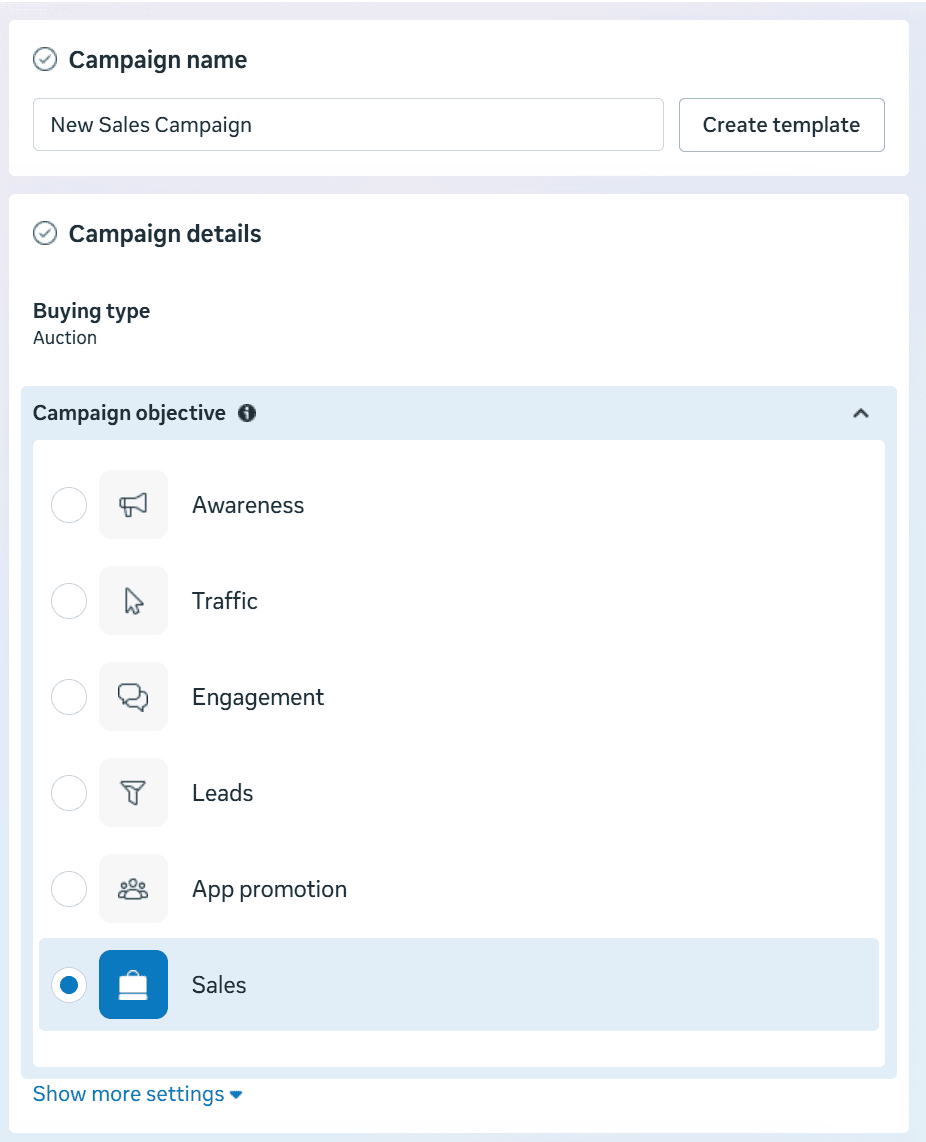
What Does Meta Actually Do With Your Optimization Event
When you select an optimization event in your Meta campaign, you are not just choosing what gets reported in Ads Manager. You are instructing Meta's delivery system to find people who are statistically likely to complete that specific action.
Meta's algorithm looks at everyone in your target audience and asks which of these people are most likely to do the thing you told me to optimize for. It then concentrates delivery toward those people. The event you choose shapes who sees your ads, how much you pay for those impressions, and how quickly the algorithm stabilizes its delivery.
This is why optimizing for link clicks when your goal is revenue is such a common and costly mistake. You are not getting cheap purchases. You are getting cheap clicks from people who click things and do not buy things. The algorithm is doing exactly what you told it to do. You just told it the wrong thing.
The principle that cuts through all the complexity is this. Optimize for the deepest event in your funnel that you can generate consistently enough for the algorithm to learn from. That one sentence covers about 80 percent of optimization decisions correctly.
The Four Main Optimization Events and Who Should Use Each One
1. Purchase Optimization
It tells Meta to find people most likely to complete a purchase on your store.
If you are an established ecommerce brand with consistent daily or weekly purchase volume. The general guideline is enough purchase events per ad set per week for the algorithm to exit the learning phase. If you are hitting that threshold reliably, Purchase optimization is almost always the right choice because it aligns directly with what you actually care about which is revenue.
It works best when Products with clear purchase intent and a straightforward checkout flow. Impulse-buy products in the $20 to $100 range where purchases happen frequently enough that the algorithm is never starved of data. Retargeting campaigns where the audience is already warm and intent is high.
It breaks down when purchase volume is too low for the algorithm to learn from. If your ad set is generating only a handful of purchases per week, the algorithm does not have enough signal to stabilize delivery. You will see erratic cost per result, inconsistent delivery, and campaigns that perpetually show as learning limited.
Purchase optimization only works as well as your purchase data. If your Meta Conversions API Shopify integration is missing 30 to 40 percent of actual purchases because browser pixels are dropping events due to ad blockers and iOS restrictions, you are feeding the algorithm a distorted picture of who your buyers actually are. Aimerce fixes this by capturing purchase events from Shopify's backend via Webhooks after order confirmation, which means Meta receives complete purchase data regardless of what happened in the visitor's browser. Higher Event Match Quality scores between 8.6 and 9.3 versus the 4.0 to 6.0 range typical of browser-only pixels directly improve how well Purchase optimization performs.
2. Initiate Checkout Optimization
It tells Meta to find people most likely to start the checkout process on your store.
Brands can use it where purchase volume is too low for stable optimization but checkout volume is healthy. This is the most underused optimization event in the Meta playbook and it is genuinely useful in the right situations rather than being a compromise you settle for reluctantly.
It works best for high-AOV products where purchases are naturally less frequent. A brand selling $400 furniture or $600 fitness equipment might get 10 purchases a week but 60 checkout initiations. Optimizing for Initiate Checkout gives the algorithm substantially more signal to work with while still targeting people with genuine purchase intent. Longer consideration cycle products where customers research carefully before buying. Stores that suspect checkout friction is causing drop-off and want to drive more people into the checkout funnel to identify and fix where they are leaving.
It breaks down when checkout initiation volume is also low. If you are getting 5 purchase events and 8 checkout events per week you do not have enough signal at either level. You need to go higher up the funnel. Also when checkout optimization starts attracting people who habitually start checkouts but never finish them because they use checkout as a price comparison tool.
Mid-size DTC startups selling considered purchases usually use this optimization. Brands in the $150 to $600 AOV range that have been frustrated by Purchase optimization instability and have not thought to try Initiate Checkout as a middle ground.
3. Add to Cart Optimization
Add to Cart or ATC tells Meta to find people most likely to add a product to their cart on your store.
Newer DTC brands that do not yet have enough purchase or checkout volume for lower-funnel optimization uses this. Brands launching new products where initial conversion data is limited. Stores running cold traffic campaigns to build demand before enough purchase signal exists to optimize against.
It works best for early-stage prospecting where the goal is generating initial demand and purchase data that can eventually move down-funnel. New product launches where you need to build behavioral data quickly. Situations where purchase and checkout volume are genuinely too low to use either of those events reliably.
It breaks down when you stay on Add to Cart longer than necessary. Add to Cart attracts people who browse and consider products without buying them. That is fine as a stepping stone but if you can generate enough purchase or checkout events to move down-funnel, staying on Add to Cart means you are systematically optimizing for a behavior that is two steps removed from the outcome you actually care about.
The goal is always to graduate to a lower-funnel event as soon as volume supports it. If you have been running Add to Cart optimization for three months on an established store, that is probably a signal that something else is wrong with either your conversion volume or your tracking setup rather than a deliberate strategic choice.
4. What About Link Click Optimization
I will keep this short because the advice is simple. Do not use it as a long-term optimization strategy for ecommerce campaigns or do not use this at all if you can.
Link click optimization finds people who click on things. Not people who buy things. The correlation between clicking and buying is real but weak. You will get cheaper clicks and meaningfully worse conversion rates which usually produces worse cost per acquisition not better.
The situations where link click optimization makes sense are narrow. Driving traffic to a landing page for product validation before you have any purchase data. Testing creative messaging when click-through rate is the specific metric you are trying to read. Short-term awareness campaigns where the goal genuinely is traffic rather than conversion.
For any campaign where the end goal is revenue, link click optimization is a temporary phase you pass through quickly on the way to something better, not a strategy you run indefinitely.
Cold Traffic vs Warm Retargeting
The right optimization event also depends on where your audience sits in the funnel.
Cold prospecting campaigns targeting new audiences should use the deepest event you can support with volume. If you have consistent purchase data, optimize for Purchase even in cold traffic. Meta is good at finding buyers even in cold audiences when you give it accurate purchase signal to work from. If purchase volume is too low, use Initiate Checkout or Add to Cart as a stepping stone until you build enough conversion data to move down-funnel.
Warm retargeting campaigns targeting people who have visited your store, added to cart, or engaged with your brand should almost always optimize for Purchase. These audiences already have demonstrated intent. The algorithm's job is to find the people in that warm pool most likely to complete a purchase. Giving it a lower-intent event like Add to Cart when you have purchase data available is leaving performance on the table.
The exception is when your retargeting audience is very small. A retargeting pool of 500 people is too small to generate meaningful purchase volume for the algorithm to learn from. In that situation Initiate Checkout can be more practical even for warm audiences.
The Metrics That Tell You Whether Your Optimization Choice Is Working
Regardless of which event you choose, these are the numbers worth watching in order.
Start with delivery. Are you getting impressions at a reasonable CPM. If CPM is extremely high it often means your audience is too narrow, your creative is not resonating well enough to win auctions competitively, or both.
Then look at engagement. CTR and CPC tell you whether your creative and messaging are connecting with the audience Meta is finding. High CTR with weak downstream conversion usually points to a landing page or checkout friction problem rather than an optimization event problem.
Then look at conversion efficiency. Cost per result for your chosen optimization event, and then check whether that result is actually connecting to revenue in Shopify. This is the step most brands skip. They optimize for Initiate Checkout but never check what percentage of those checkout initiations are actually completing purchases.
The top DTC brands I respect look at all three of these in sequence rather than jumping straight to cost per result when something feels off. The problem is usually visible earlier in the chain if you know where to look.
The Mistakes That Stall Performance
Too many ad sets with overlapping audiences. When you split audiences too aggressively each ad set gets fewer conversion events. The algorithm in each ad set is essentially trying to learn from a smaller dataset than it needs. Fewer events means slower learning means more volatile performance. Consolidate where your targeting is materially similar and differentiate with creative instead.
Switching optimization events too frequently. Every time you make a significant change to an active ad set, Meta partially resets the learning it has accumulated. Changing your optimization event is one of the most disruptive changes you can make. If you are going to change it, commit to the new event and give it enough time and budget to accumulate signal before evaluating whether it worked.
Staying on a proxy event when you no longer need to. Add to Cart was the right call six months ago when you were just starting. You have purchase volume now. You are still on Add to Cart. This is very common and it quietly caps performance because you are systematically optimizing for a behavior that does not perfectly predict the outcome you care about. Audit your campaign optimization events regularly and graduate down-funnel whenever volume supports it.
Ignoring the tracking layer entirely. This is the one I see most often and it is the one that undermines everything else on this list. You can make perfect optimization event choices and still get mediocre results if your ecommerce conversion tracking is missing 30 percent of your purchase events. Meta cannot optimize toward buyers it does not know exist. Shopify server side tracking via the Meta Conversions API is not an optional enhancement at meaningful spend levels. It is the foundation that makes every other optimization decision work properly.
Ask yourself these questions in order.
How many purchase events am I generating per ad set per week. If the answer is consistently above the threshold Meta recommends for learning phase exit, optimize for Purchase.
If purchase volume is too low, how many Initiate Checkout events am I generating per week. If that number is healthy, optimize for Initiate Checkout.
If checkout volume is also low, how many Add to Cart events am I generating. If that number supports optimization, use Add to Cart as a temporary stepping stone with a plan to graduate down-funnel as volume grows.
If all three are too low, you have a demand generation problem or a tracking problem, not an optimization event problem. Focus on those before adjusting campaign settings.
And before you do any of this, audit your tracking pixel setup. Compare your Shopify order count against Meta reported purchases for the last 30 days. If the gap is more than 15 to 20 percent, fixing your attribution tracking will have more impact on campaign performance than any optimization event change you make.
FAQ
Should I always optimize for Purchase on Meta
Not always. Purchase is usually the best choice when you have enough conversion volume to support stable learning. When purchase volume is too low it produces unstable delivery and volatile cost per result. In those situations Initiate Checkout or Add to Cart are more practical until volume grows.
My CTR is high but sales are low. Should I change my optimization event
Maybe but probably not yet. High CTR with weak sales usually points to a landing page problem, a checkout friction problem, or a pricing and offer mismatch rather than an optimization event problem. Check your funnel drop-off rates before changing your optimization event. If the traffic is arriving and not converting, the issue is downstream from the ad.
How does server-side tracking affect which optimization event I should choose
Directly. If your purchase tracking is incomplete because browser pixels are missing events, your effective purchase volume is lower than your actual purchase volume. You might think you need to use Initiate Checkout because you are not generating enough purchase events, when actually you are generating plenty of purchases and just not capturing all of them. Fixing attribution tracking with Shopify server side tracking often reveals enough purchase volume to optimize for Purchase when you thought you could not. This is one of the more counterintuitive benefits of fixing tracking before adjusting campaign settings.
How often should I make changes to my optimization event
As infrequently as possible. Changes reset learning and make performance harder to read. Make deliberate changes when you have a clear reason, give the campaign enough time and budget to stabilize after the change, and avoid making multiple significant changes simultaneously.
What is the right optimization event for Health and Wellness brands with Meta restrictions
If lower-funnel events like Purchase and Add to Cart are restricted, optimize for the deepest permitted event. Usually that means Page View or View Content optimization combined with server-side tracking that maximizes the signal quality for those permitted events. This is not ideal but it is the most performance-preserving approach within the constraints Meta places on restricted categories. Fixing your server-side tracking setup so permitted events arrive with high match quality is the highest-leverage action available when lower-funnel optimization is restricted.
30-Day Aimerce Pixel Free Trial