Aimerce Blogs
How To Filter Bot-Clicks on Meta Ads Manager
14 November 2024
How To Filter Bot-Clicks on Meta Ads Manager
Meta Ads

Meta Ads currently does not have a filter in place to differentiate bot traffic from real prospects. However, using Aimerce you can filter bot traffic in your Meta Ads Manager—simply turn on the filter toggle. This prevents your Meta Ads algorithm from being trained on bot data signals. Aimerce is here to help get your targeting algorithm to be as accurate as possible, and this means not feeding it bot data especially with the oncoming holiday site traffic.
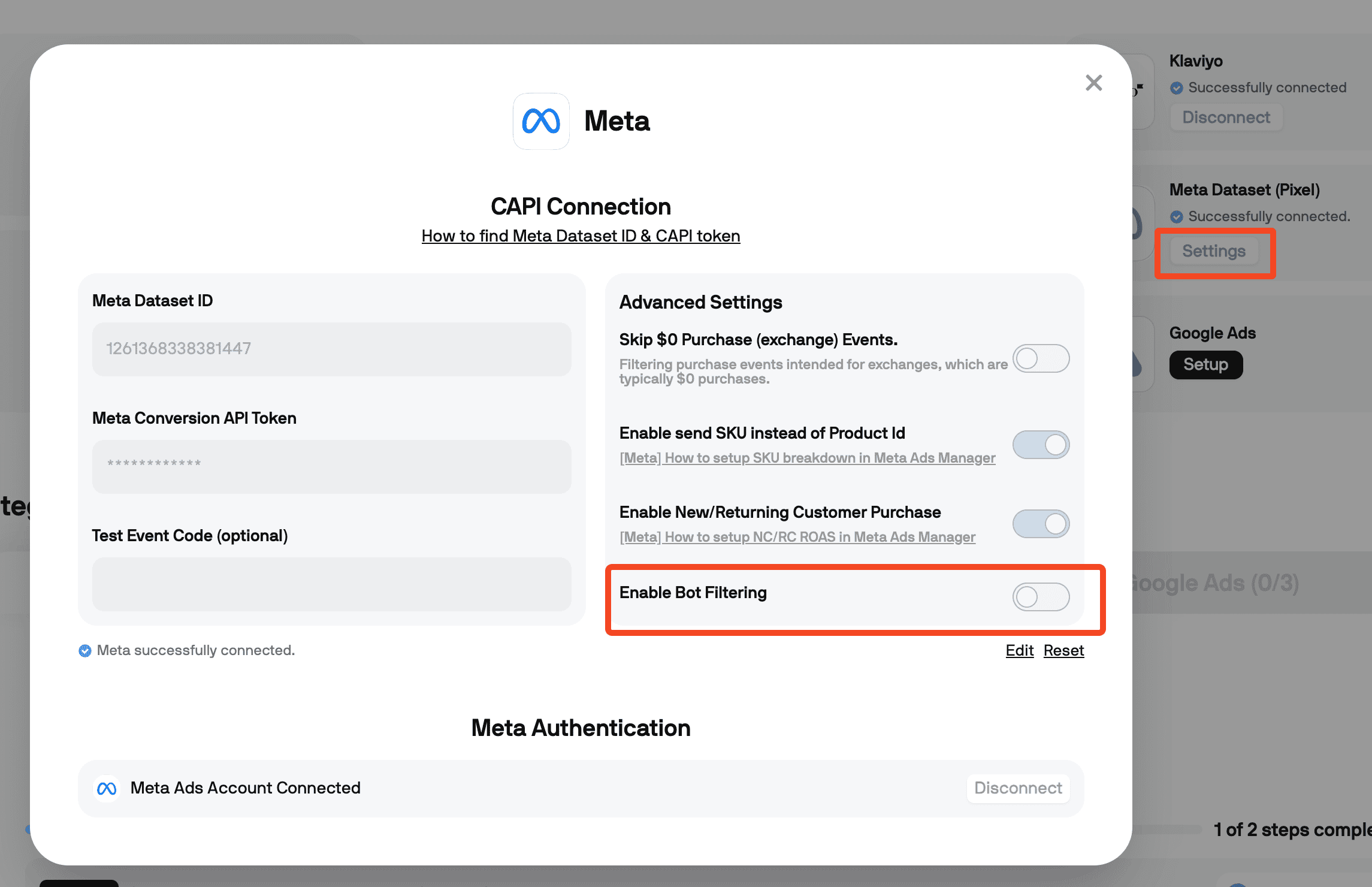
1. Go to your Meta CAPI Connection settings
You can access this by clicking on the Settings, under Meta Dataset (Pixel).
2. Turn on Enable Bot Filtering
Aimerce Pixel
Server-side tracking and accurate first-party data to increase marketing performance.
5/5
Trstpilot
5/5
Shopify
5/5
G2
More Articles
Server-Side Tracking Setup for Funnelish on Shopify
Set up server-side tracking for Funnelish funnels on Shopify: native vs custom code, event dedup, and verification steps.
21 August 2026
Taboola Server-Side Tracking for Shopify, Explained
Taboola server-side tracking for Shopify explained: the click ID parameter that silently breaks conversions, and how to set it up right.
10 September 2026
5 Special Cases in Shopify Event Tracking You Can't Skip
Email popups, custom landing pages, third-party checkout, subscriptions, and quizzes all need special handling in event tracking.
26 August 2026
Sign Up for a
30-Day Aimerce Pixel Free Trial
30-Day Aimerce Pixel Free Trial
Sign Up Using Your Shopify Account Email
*Money back guaranteed.
Aimerce pays for itself or you don’t pay anything.