Quick Answer: Aima, Aimerce's AI data analyst, now answers questions directly inside Shopify Sidekick, Shopify's built-in AI assistant, through Shopify's new Sidekick App Extensions. You can ask the same analytical questions you'd ask in the Aimerce dashboard or Slack, and get the same diagnosis and recommendation, without leaving Shopify admin. Aima still doesn't take actions on your campaigns or flows.
Key Takeaways
- Aima now answers questions directly inside Shopify Sidekick, through Shopify's Sidekick App Extensions feature, which Shopify launched in June 2026.
- The same questions you'd ask in the Aimerce dashboard or Slack now work in Sidekick: revenue drop diagnosis, channel attribution breakdowns, CAC by channel, and Klaviyo campaign reviews.
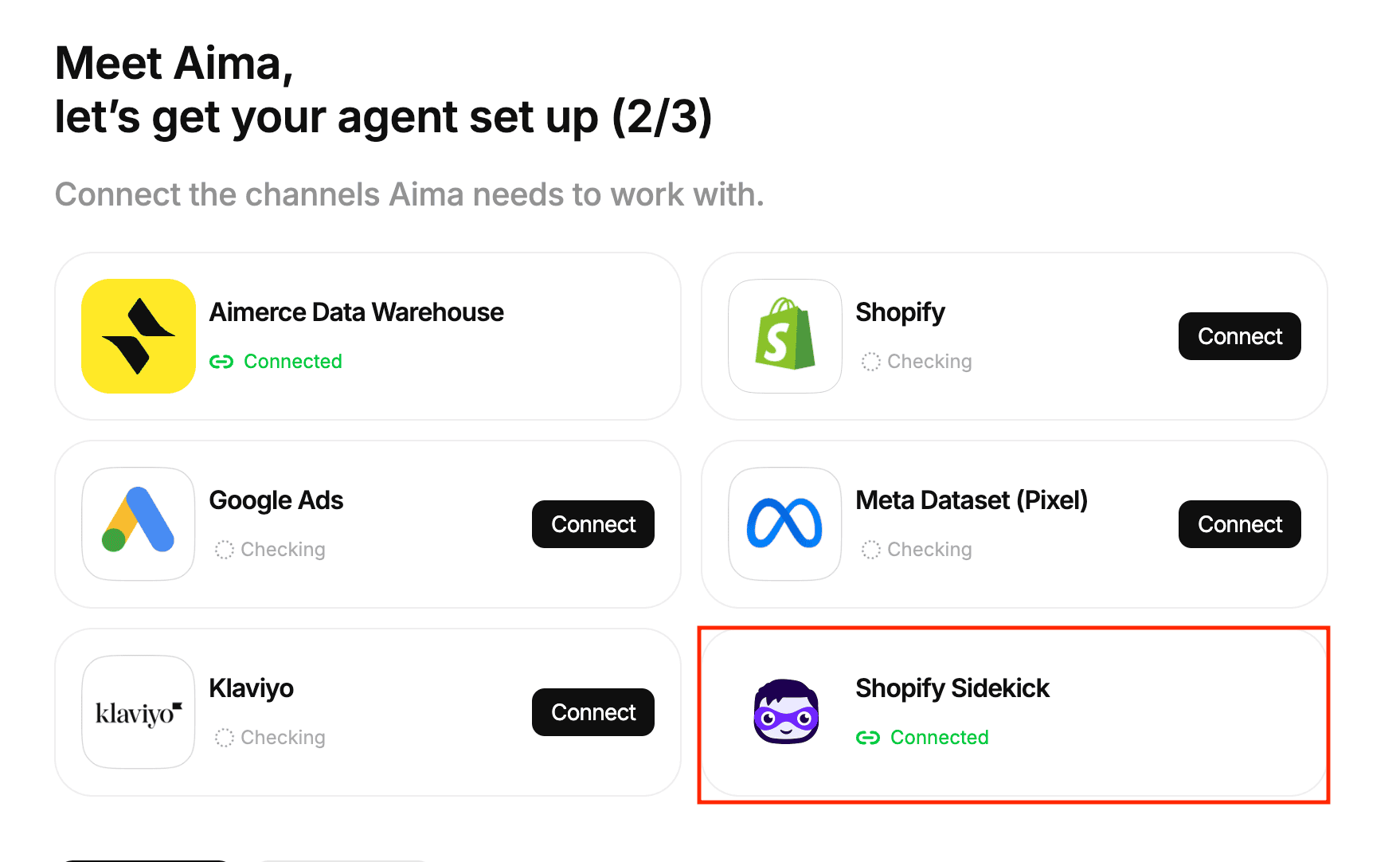
- Sidekick can also summarize which of your ad and marketing platforms are connected, which need a permission fixed, and which aren't set up at all, and tells you exactly what to do about it.
- Answers in Sidekick are shorter by design, with a built-in length limit. When an answer is too long to fit, you get a link to a live page streaming the full response, without exposing any access token in the URL.
- Aima's scope inside Sidekick is unchanged from everywhere else it lives: it diagnoses and recommends. It does not take actions on your campaigns, flows, or ad spend, inside Sidekick or anywhere else, regardless of what any third party claims.
What does "Aima now lives inside Shopify's Sidekick" actually mean?
It means you can ask Aima the same analytical questions you'd normally ask inside the Aimerce dashboard, directly from Shopify's own admin chat, without switching tools.
Sidekick, Shopify's built-in AI assistant, can now pull Aima's analysis directly into its chat window. The question and the answer both happen inside Shopify, not in a separate app you have to open.
What is Shopify Sidekick, and how do third-party apps plug into it?
Shopify Sidekick is Shopify's own built-in AI assistant, available to merchants for analytics questions, light store adjustments, and context-aware Q&A about their store. On June 17, 2026, Shopify launched Sidekick App Extensions, a mechanism that lets specific third-party apps plug their own data and analysis directly into Sidekick's chat, rather than merchants needing to open each app separately [1].
Aima's Sidekick integration uses this same mechanism. It's worth knowing that Sidekick itself is intentionally scoped: Shopify's own positioning describes it as excellent for analytics queries and store-context Q&A. Aima's integration fits squarely inside that scope, question in, analysis out.
What kinds of questions can you actually ask?
Real questions merchants are already asking, ready to reuse directly:
- "Why did sales decrease today compared to yesterday?"
- "My conversion rate is down 20% over the last 45 days. Can you take a look?"
- "Roughly what percent of my revenue comes from Meta, Google, email/Klaviyo, and organic/direct/repeat?"
- "Which ad channel is driving the most new customer purchases, and what's the CAC per channel?"
- "Review my last 10 sent Klaviyo campaigns, open rate, click rate, attributed revenue, RPR, unsubscribes, and tell me which had the best ROI."
These are the same categories of questions Aima already answers in the Aimerce dashboard and in Slack. Sidekick doesn't change what Aima can analyze, it changes where you can ask.
Can Sidekick tell you what's connected and what's missing?
Yes. Asking Sidekick for a summary of your integrations returns what's live, what's missing a permission, and what hasn't been set up yet, along with exactly what's needed to fix it.
That's a genuinely useful diagnostic on its own, separate from campaign-performance questions. A merchant who suspects a tracking gap, rather than a performance problem, can ask directly rather than digging through each platform's settings individually.
How it works: Get a full channel breakdown, without leaving the chat
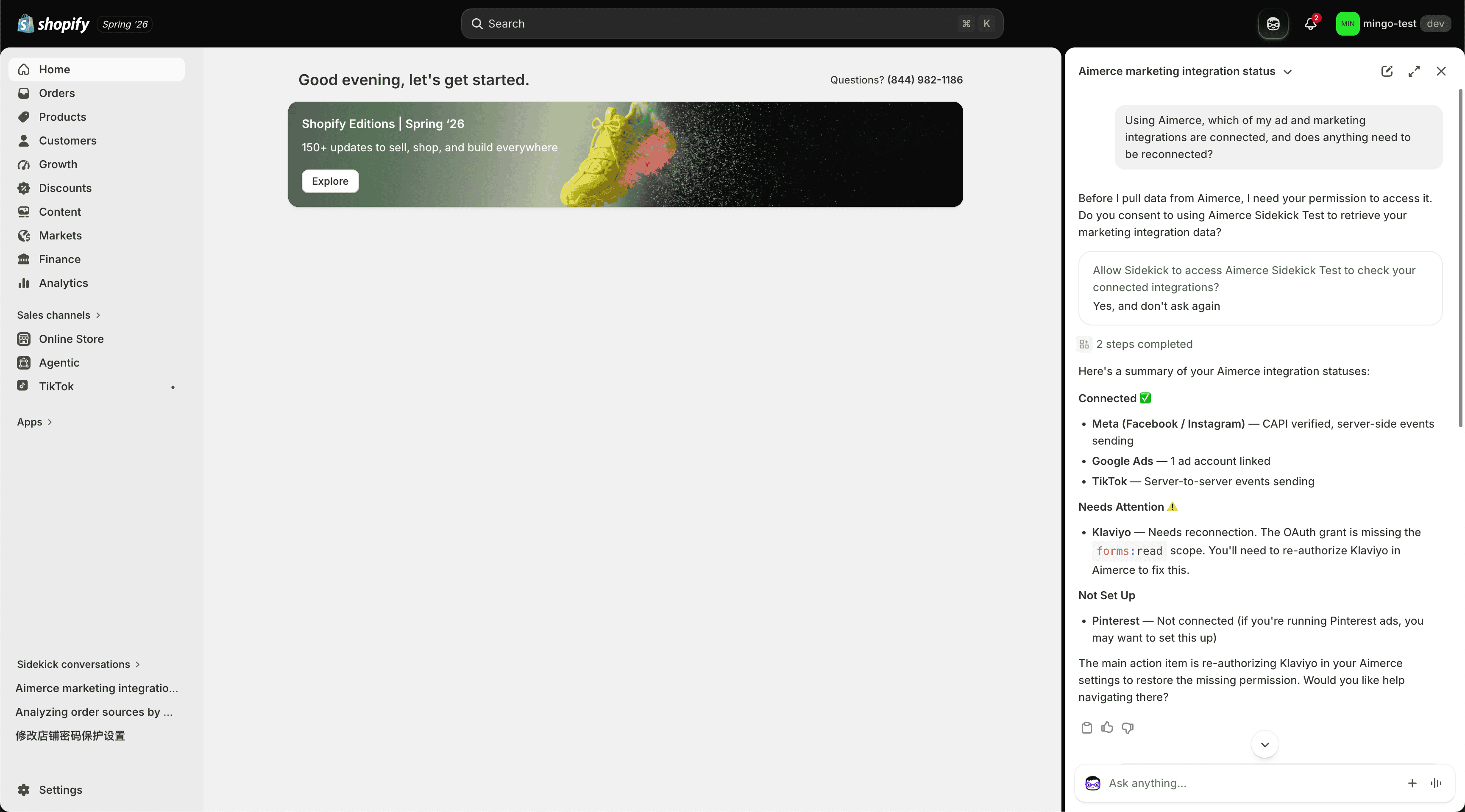
Asking which channel is driving revenue returns a real breakdown, orders, revenue, and share by channel, in plain language, with the option to go deeper into the same detailed view available in the full Aimerce app, without switching tools.
You can ask which channel is your biggest, which has the best new-customer rate, and get a specific, numbers-backed answer rather than a vague summary. Asking a follow-up question opens the same detailed view you'd get inside the Aimerce app itself.
What happens when an answer is too long for Sidekick's chat window?
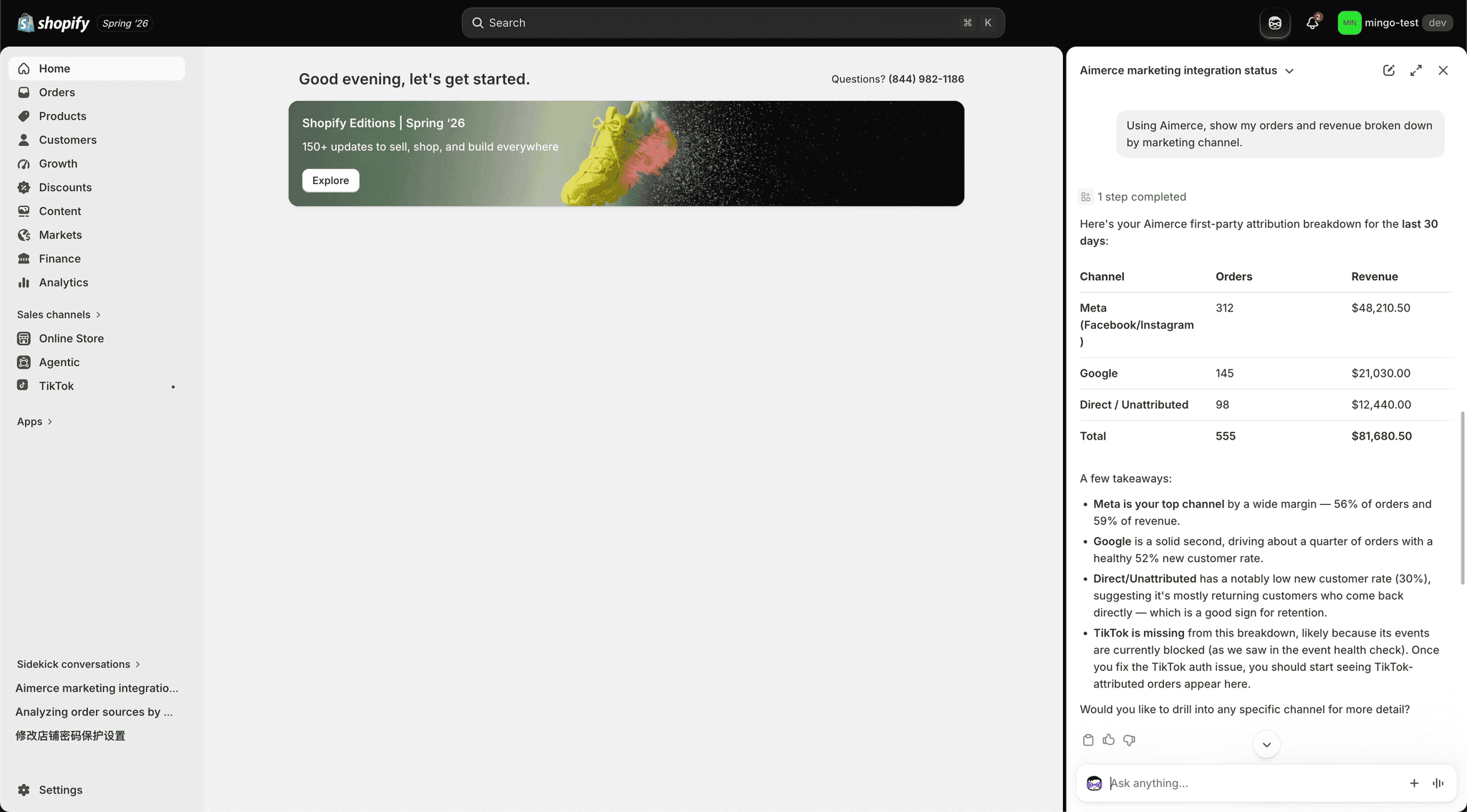
Sidekick answers are intentionally concise, with a built-in length limit so a response never runs on endlessly. When an answer is genuinely too long to fit, you get a link to a live page that streams the full answer as it's written.
That link is short and safe to share, since it no longer exposes any sensitive access token in the URL, a detail worth knowing if you're used to older link-sharing patterns from other tools.
Does Aima take any actions through Sidekick?
No. Aima's scope inside Sidekick is exactly the same as everywhere else it operates: it answers questions, diagnoses causes, and recommends next steps. It does not adjust campaigns, does not modify Klaviyo flows, and does not take any action on your behalf, in Sidekick or anywhere else.
This is worth stating plainly because inaccurate claims about this specific point have circulated. Aima is built as an analyst, not an operator, by design, not as a current limitation waiting to be lifted. Any changes to campaigns, spend, or flows stay a human decision, regardless of which interface, Aimerce dashboard, Slack, or Sidekick, you're asking from.
Where Can You Ask Aima a Question?
| Surface | Where it lives | Answer format | Requires leaving Shopify admin? |
|---|---|---|---|
| Aimerce dashboard | Aimerce app | Full detailed view, charts and breakdowns | Yes |
| Slack | Your team's workspace | Full-length response | Yes, a separate tool |
| Shopify Sidekick | Shopify admin | Concise by default, with a streamed link for longer answers | No |
How do you get access?
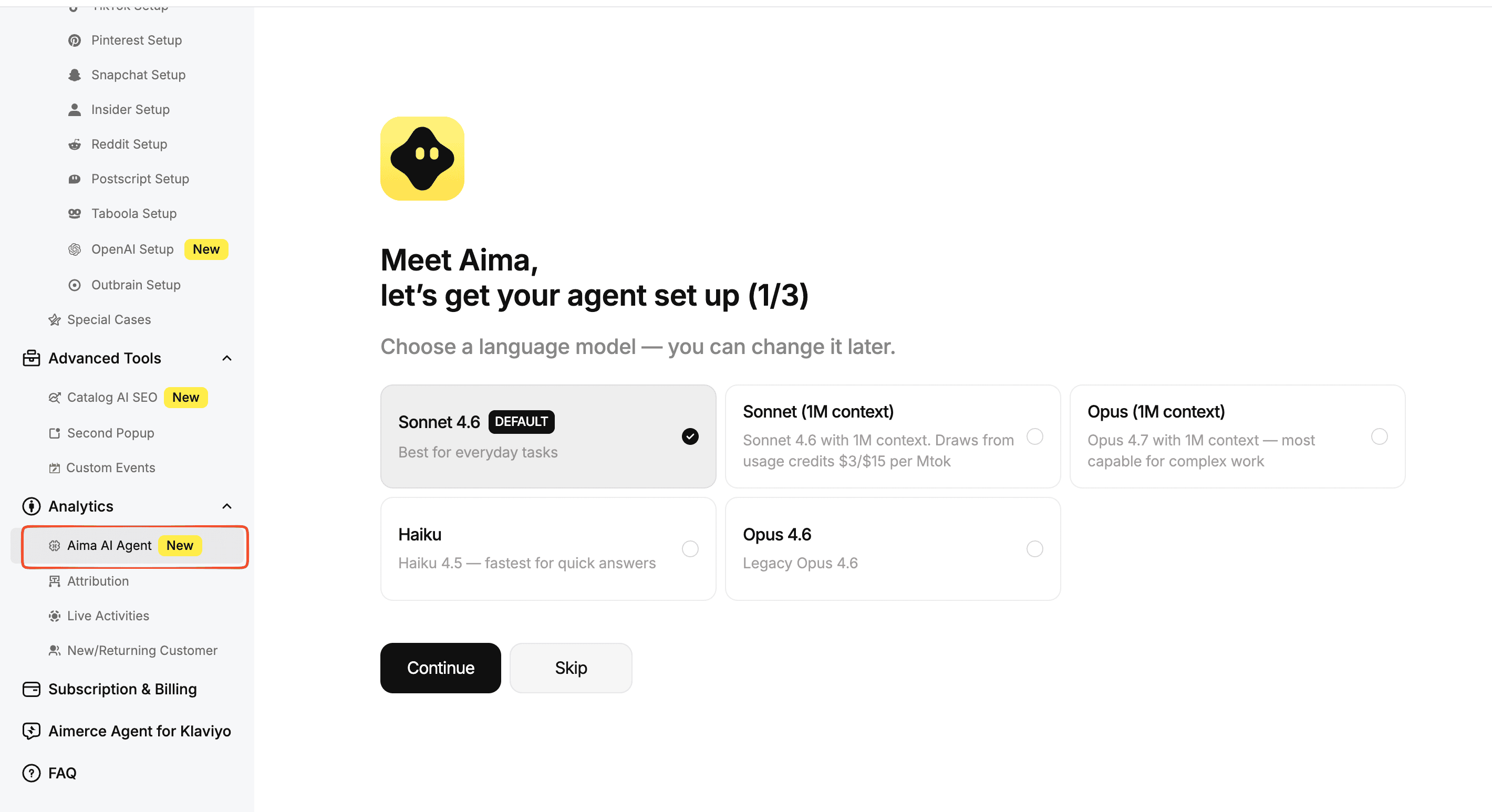
If you already have Aimerce installed, this is on by default, there's no separate signup for the Sidekick integration itself.
Configure it yourself. Go into the Aimerce app and configure which AI models and data access you want enabled.
Or hand it off. Email us directly, and Aimerce's team will handle the configuration.
Note:
- Assuming Sidekick access requires a separate signup. If Aimerce is already installed, this feature is on by default.
- Expecting the exact same answer length and format as the full Aimerce dashboard. Sidekick answers are intentionally more concise, with a link out for anything longer.
- Assuming Aima can take action just because it's now inside the admin you use to make changes. Its scope is diagnosis and recommendation everywhere it operates, Sidekick included.
- Make sure you check AI model and data access settings in the Aimerce app if something isn't surfacing correctly in Sidekick.
FAQ
What is Shopify Sidekick? Shopify Sidekick is Shopify's built-in AI assistant for merchants, designed for analytics questions, light store adjustments, and store-context Q&A directly inside Shopify admin.
How does Aima work inside Shopify Sidekick? Through Shopify's Sidekick App Extensions, launched in June 2026, which let specific third-party apps plug their data and analysis directly into Sidekick's chat. Aima's integration uses this same mechanism to answer analytical questions without requiring a merchant to leave Shopify admin.
Do I need to set anything up to use Aima in Sidekick? If Aimerce is already installed, the feature is on by default. You can configure which AI models and data access are enabled from inside the Aimerce app, or ask Aimerce's team to handle the setup directly.
Can Aima take actions on my campaigns through Sidekick? No. Aima answers questions and recommends next steps. It does not adjust campaigns, modify flows, or take any action on your behalf, inside Sidekick or in any other interface it's available in.
What happens if Aima's answer is too long for Sidekick's chat window? You get a link to a live page that streams the full answer as it's written. The link doesn't expose any access token, so it's safe to share.
Can Sidekick tell me which ad platforms are missing a permission? Yes. Asking for an integrations summary returns what's connected, what's missing a permission, and what hasn't been set up, along with what to do about each one.
Sources
[1] Yahoo Finance, "Shopify (SHOP) Launches Sidekick AI Extensions As Trustpilot Brings Reviews In Store"
[2] Yiqi Wu, "Aima now lives inside Shopify's Sidekick," Aimerce newsletter, July 30, 2026
Related reading

Try Aimerce Pixel Risk-Free
for 30 Days
Most teams see results within 2 weeks.
Money-back guarantee.
It pays for itself, or you don't pay anything.
30-Day Aimerce Pixel Free Trial